
Tools & utilities
Built for the work behind the grades
Study tools, planning, finance and grade math, all running inside your browser beside Canvas.
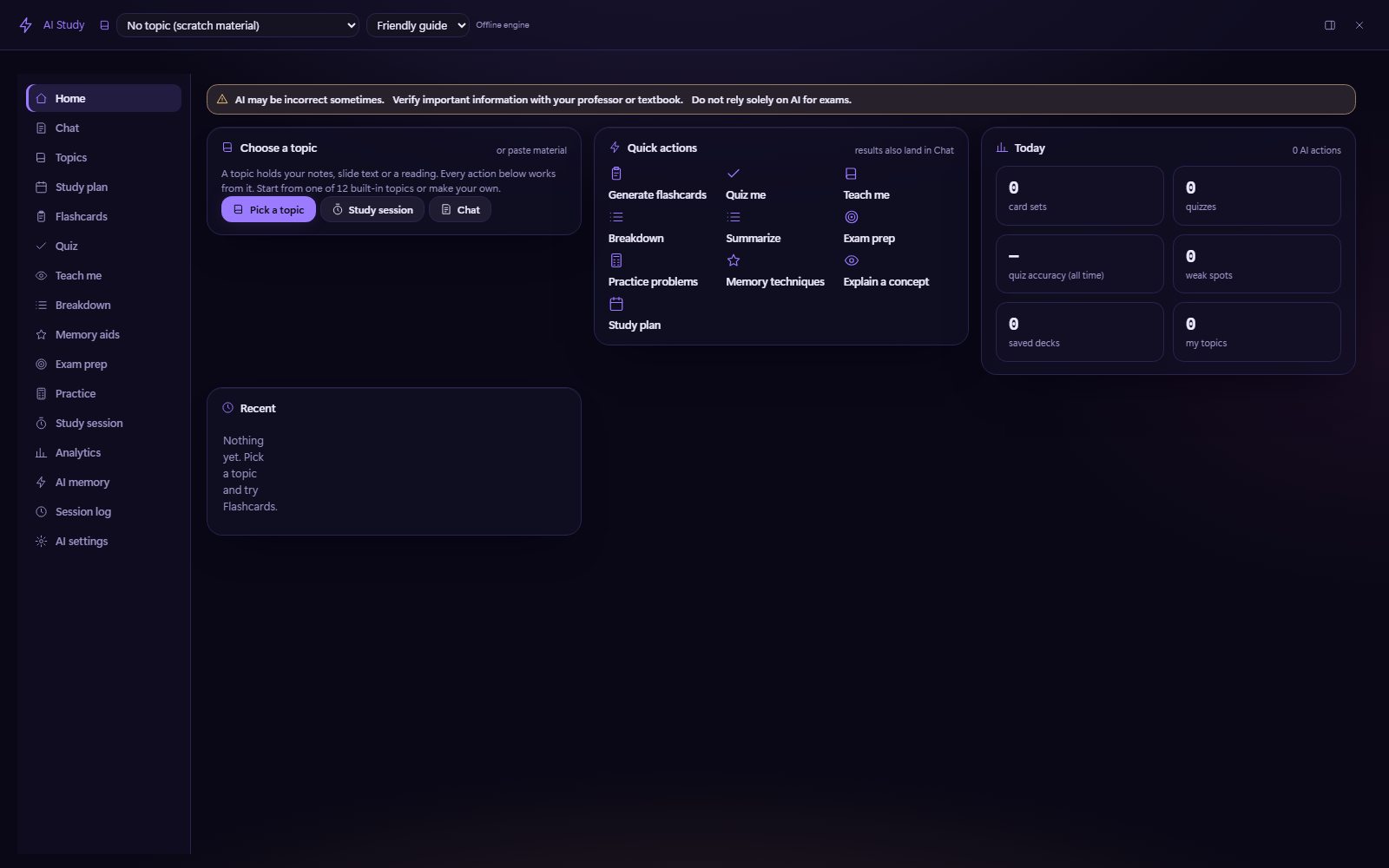
Study tools · AI Study
From notes to practice
Choose a topic, either your own (name, subject, material, keywords) or one of the 12 built-in packs, and every tool works from it.
- Built-in topics: Study skills, Cell biology, General chemistry, Mechanics, Calculus I, Statistics, Intro psychology, Microeconomics, Personal finance, Programming basics, U.S. history and Writing & literature
- Guided sessions go from preview to cards to quiz to recap, and pay Study Quest XP
- It works offline with no key. An optional Anthropic, OpenAI or Gemini key enables full AI, and a consent notice lists exactly what will be sent before the first request
- The module is off by default and blocked on assessment pages, and its “AI may be wrong” warning stays pinned

Focus + Pomodoro
A timer pill with dimmed chrome. Focus, short and long breaks are 25 / 5 / 15 minutes by default, with optional sound and auto-start. Every open tab shares one timer.

Deep Work & focus music
Deep Work runs 90-minute sessions. Focus music is generated locally with Web Audio, or played from audio files you pick.

Study stats
Focus time, streaks and a heatmap, shown as a dock tab and a Hub widget.
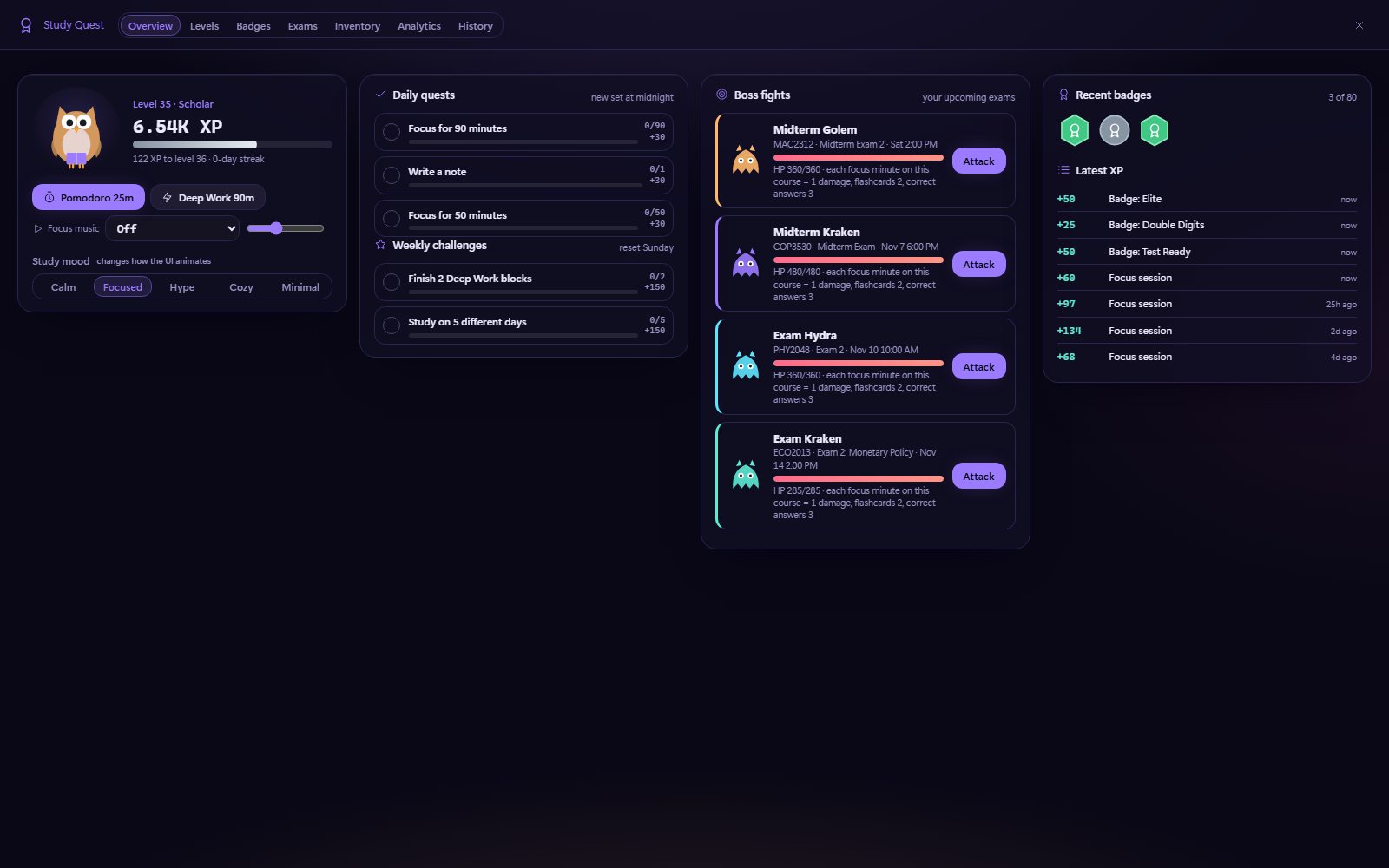
Study Quest · Exam leveling
Level up for every exam
Exam leveling is a second XP track, separate from your study level, that only grows when you study for an upcoming exam. Prep quests and exam boss fights move you up its 20 ranks.
g q Study Quest · the Exam leveling widget sits at the bottom of the Hub
 Study level13 tiers · Hatchling → Legend
80 badges, 5 rarities
Badges come in Common (25 XP), Uncommon (50), Rare (100), Epic (200) and Legendary (400). The seven categories are Study, Time spent, Streaks, Exams, Games, Levels and Hidden. Some badges stay hidden until you earn them, and legendaries are animated.
You also get daily quests, weekly challenges, an evolving owl avatar with inventory slots (hat, scarf, glasses, aura), study mood, history and analytics.
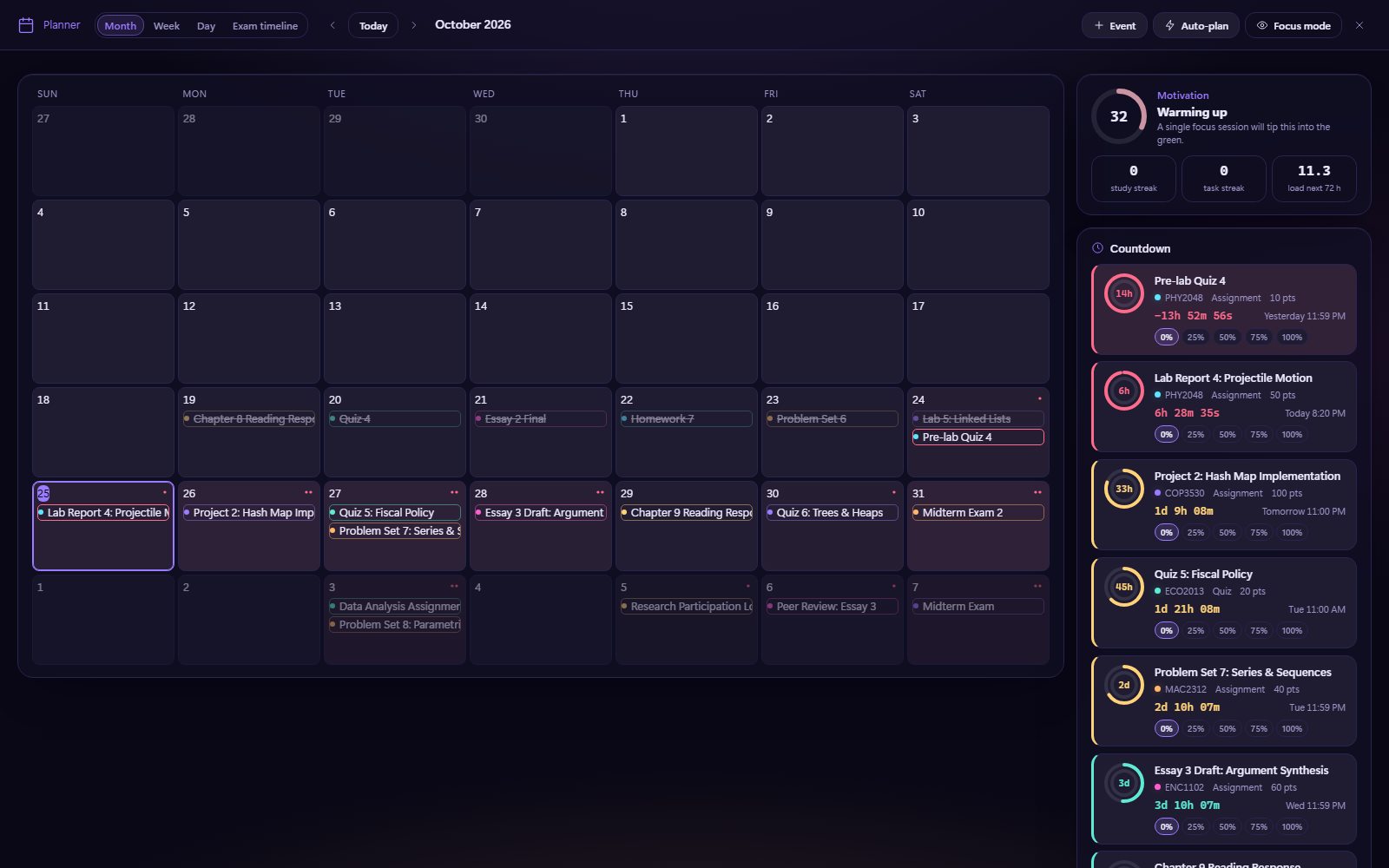
Calendar · Planner
A calendar that plans with you
- Month, Week, Day and Exams views built from your LMS deadlines
- Drag-and-drop study blocks and custom events, saved on this device
- A workload heatmap and deadline clusters that flag crunch weeks
- Smart suggestions and Auto-plan
- An exam timeline, streaks and a motivation meter
- Focus mode shows today only (g o)
g p Planner
Countdown
Deadlines you can watch tick
Live timers with urgency colors, progress rings and percent done, on the Hub and in the Countdown dock tab (g u). The cards below run live.
Assignment countdownnext 4 of 17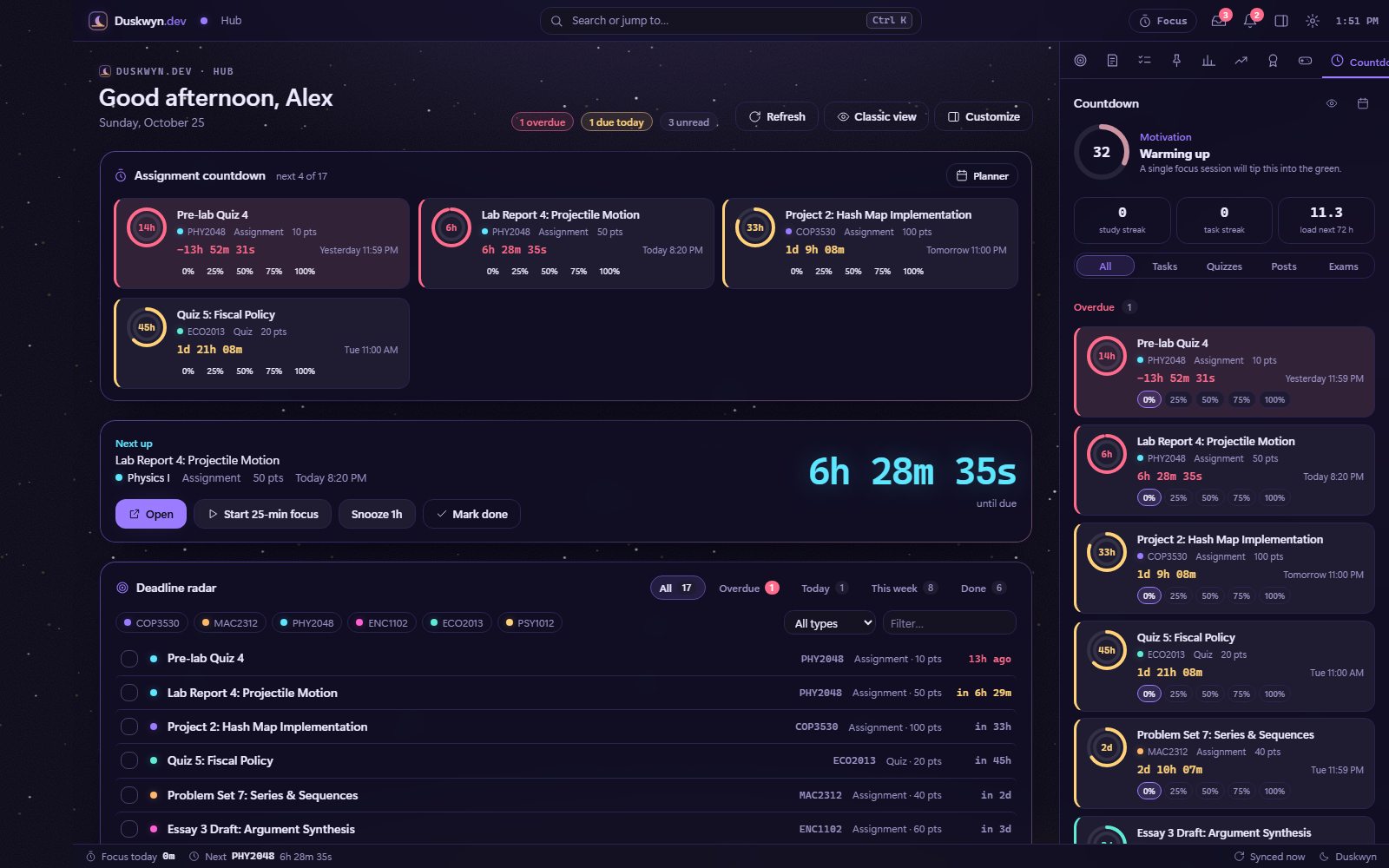

Reminders
Toasts and desktop notifications 24, 3 and 1 hours before a deadline. The lead times are yours to change.

Tab title badge
A count like “(3)” in the tab title shows overdue items plus anything due within 24 hours.

Pop-out mini window
Keep the timer and next deadline on a second monitor.
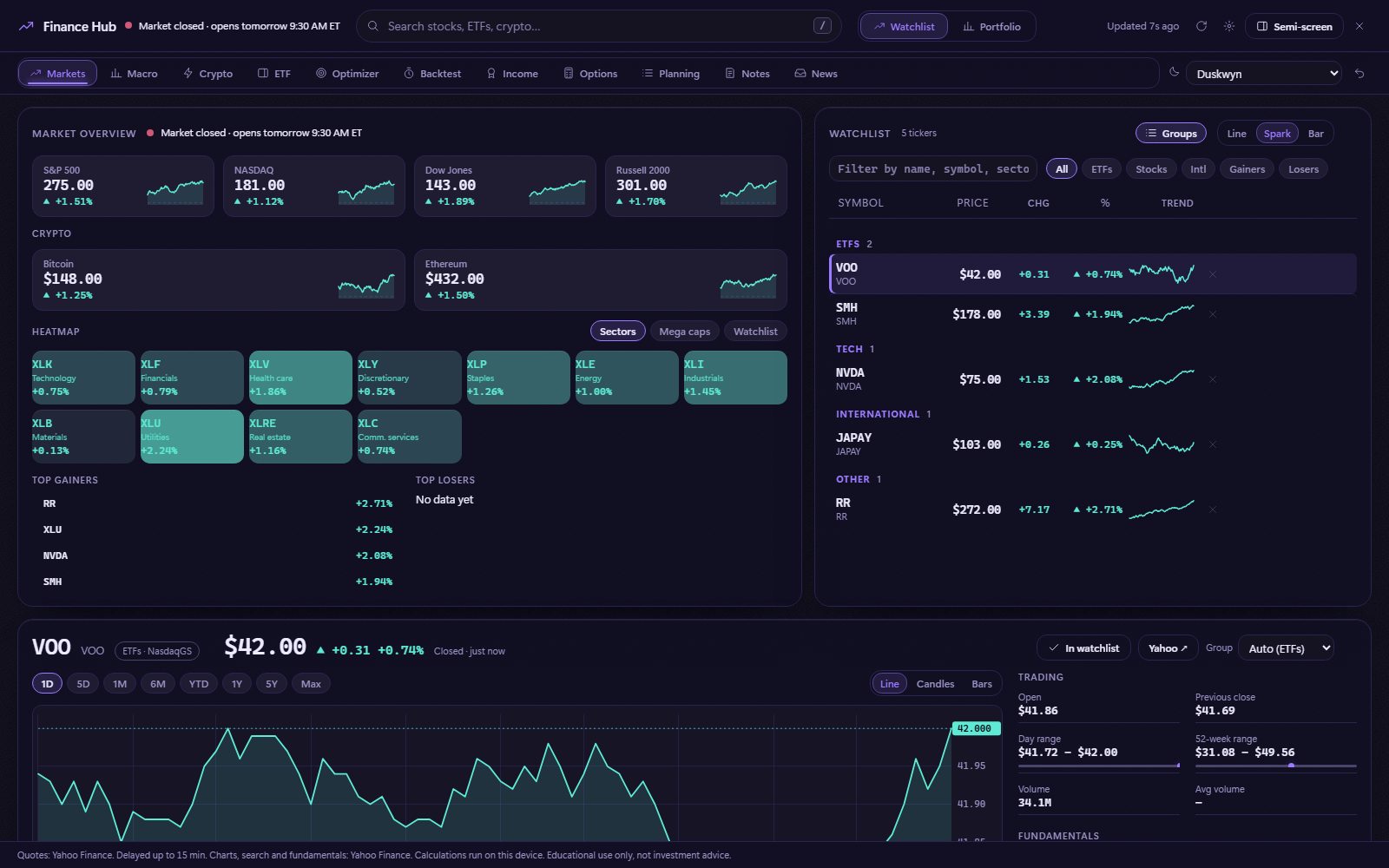
Finance Hub
A mini markets terminal
A watchlist, portfolio, interactive SVG charts and stock search, available as a compact dock panel or a full-screen hub. The module is off until you turn it on in Settings → Features.
- Drag panels by their grip and resize them from the edge, with layouts saved per workspace
- When it’s on, data is fetched anonymously (no cookies) and only while a finance panel is visible
g f Finance · Shift+F full screen · g m mini markets
37 calculators in six groups
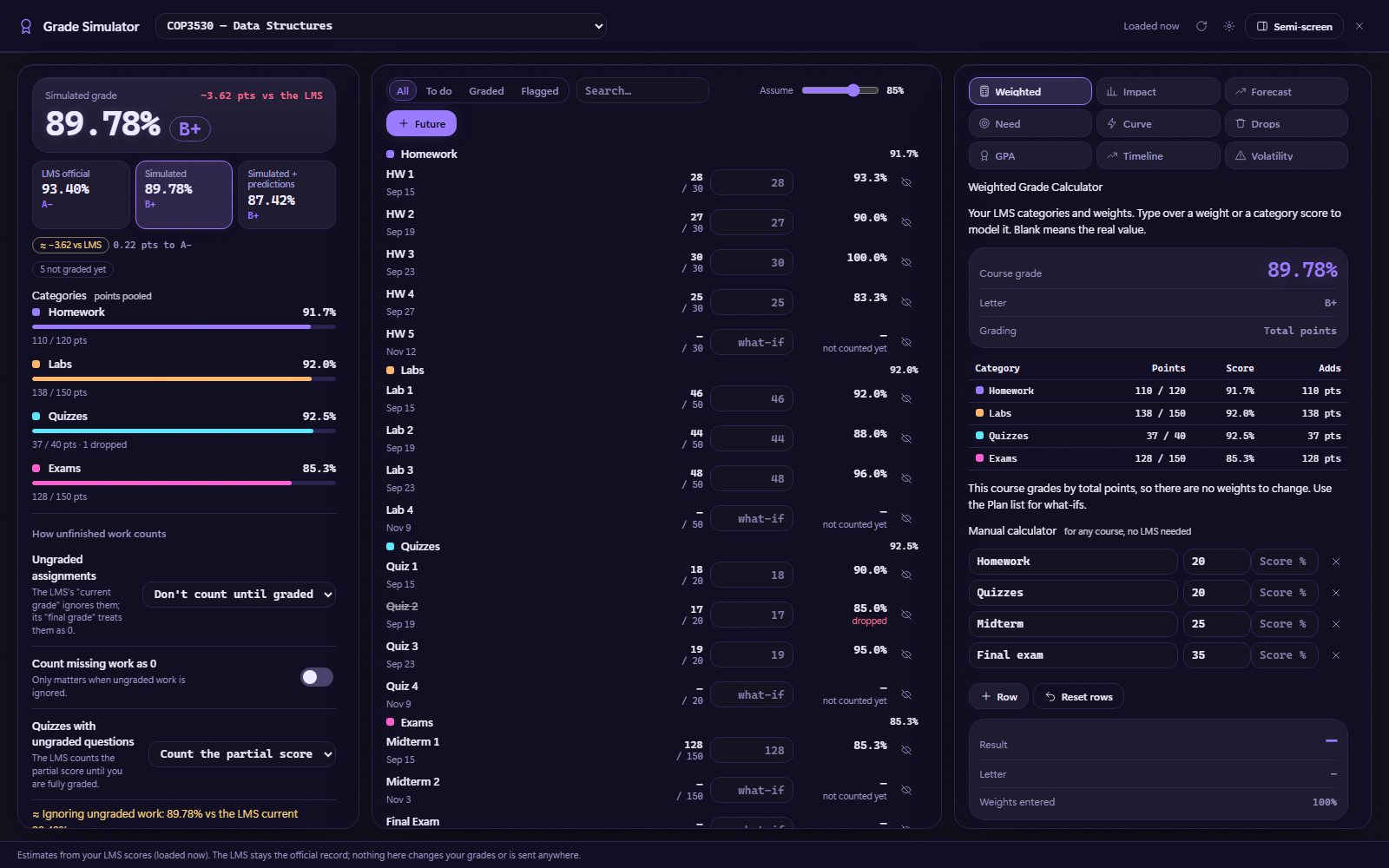
Grade Simulator
What-if, without the guesswork
Type what-if scores into the Plan list, then compare LMS official, Simulated and Simulated + predictions. It reads your scores and changes nothing, and your scenarios stay on this computer.
g w docked · g Shift+W full screen
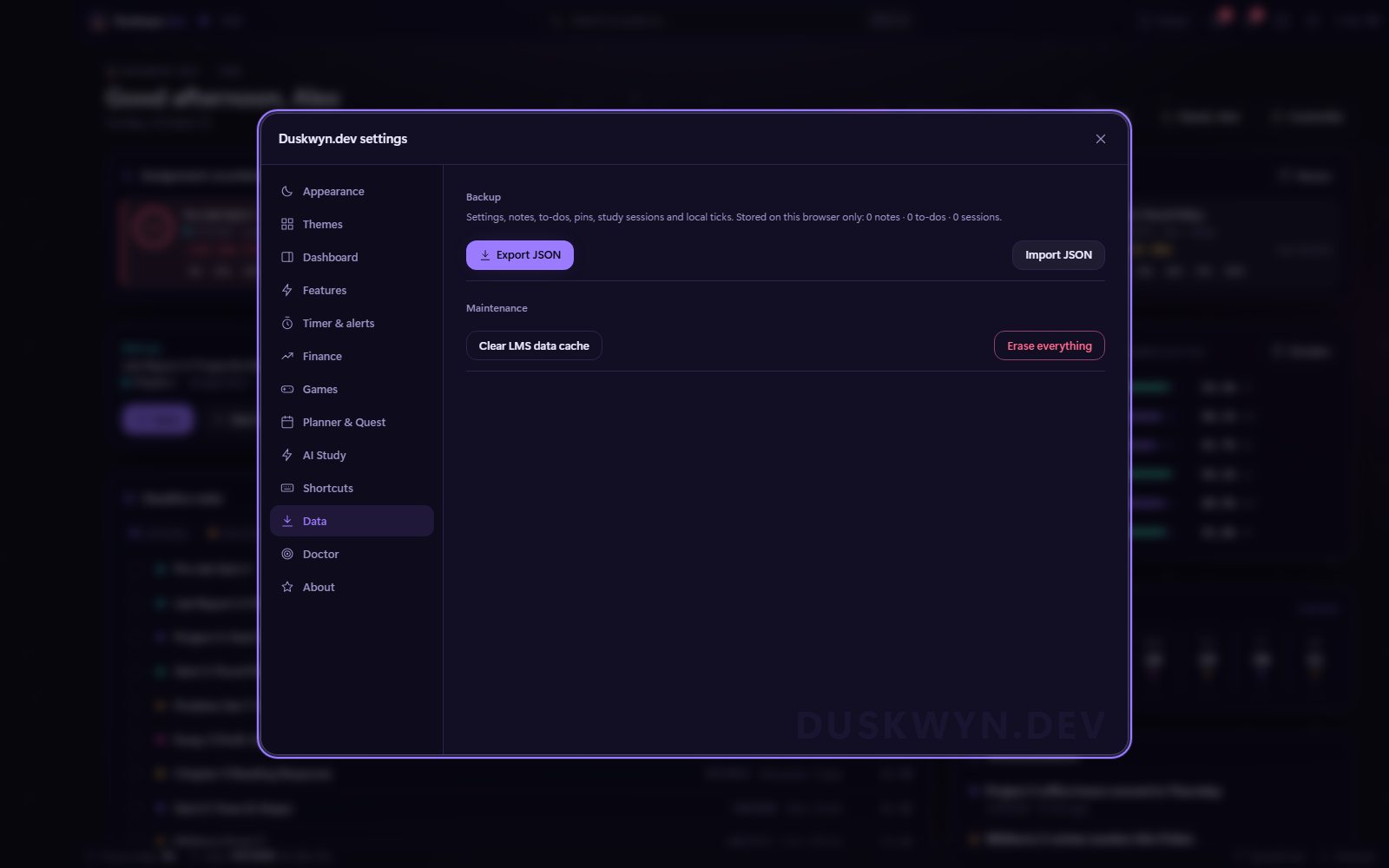
Storage
Everything stays on the device
- Userscript storage holds settings, notes, to-dos, pins, timers, the planner, Study Quest, layouts, grade scenarios and course-data caches
- IndexedDB holds generated GIFs, your custom backgrounds and GIFs, and AI topics, memory and the session log
- Backup: export or import JSON. API keys are never exported
- Sync between tabs: a change in one Canvas tab shows up in your other open tabs
- Reset: one button erases everything
There’s no Duskwyn server, account or cloud sync. See Privacy & safety.
Settings
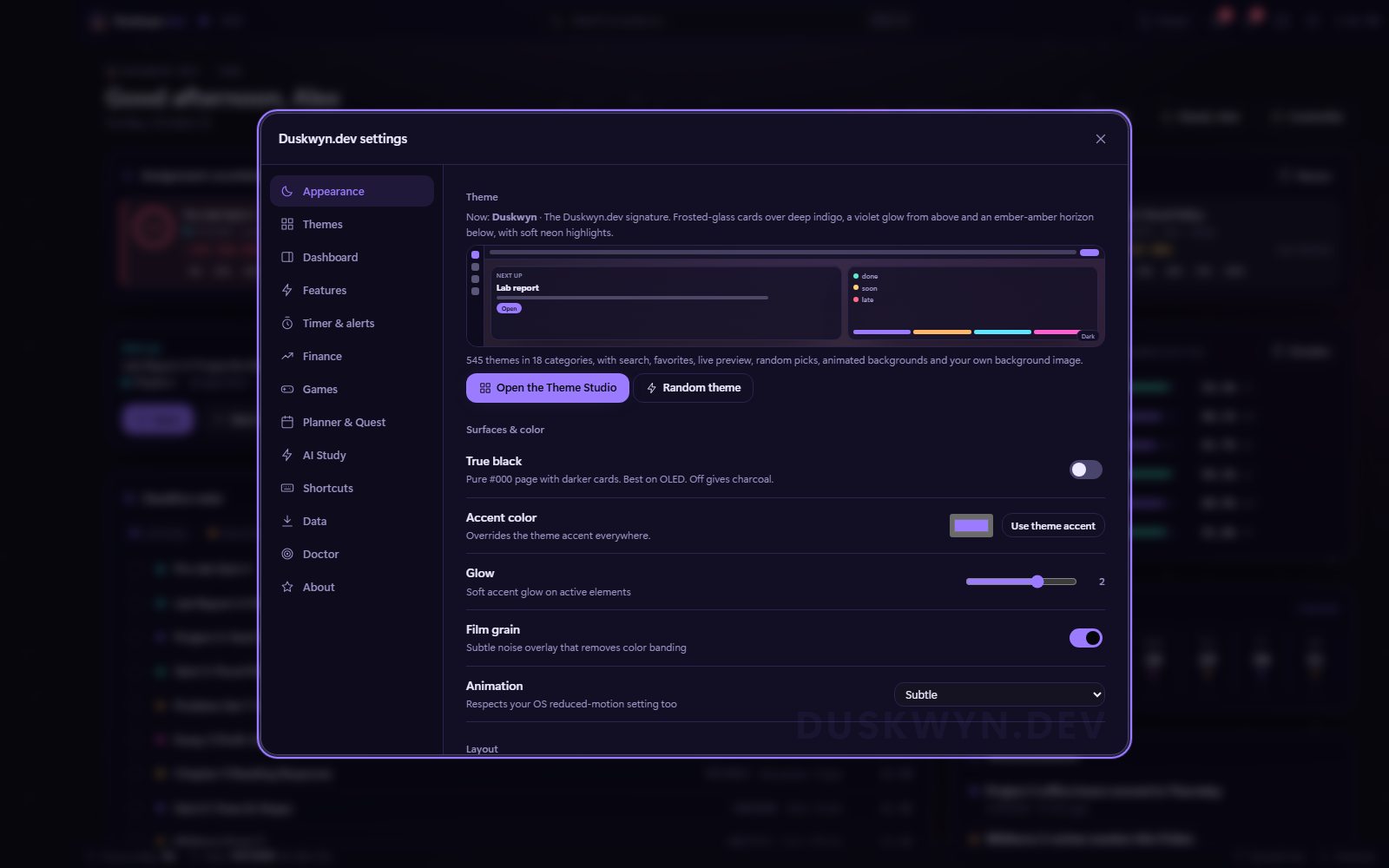
Thirteen tabs, one window
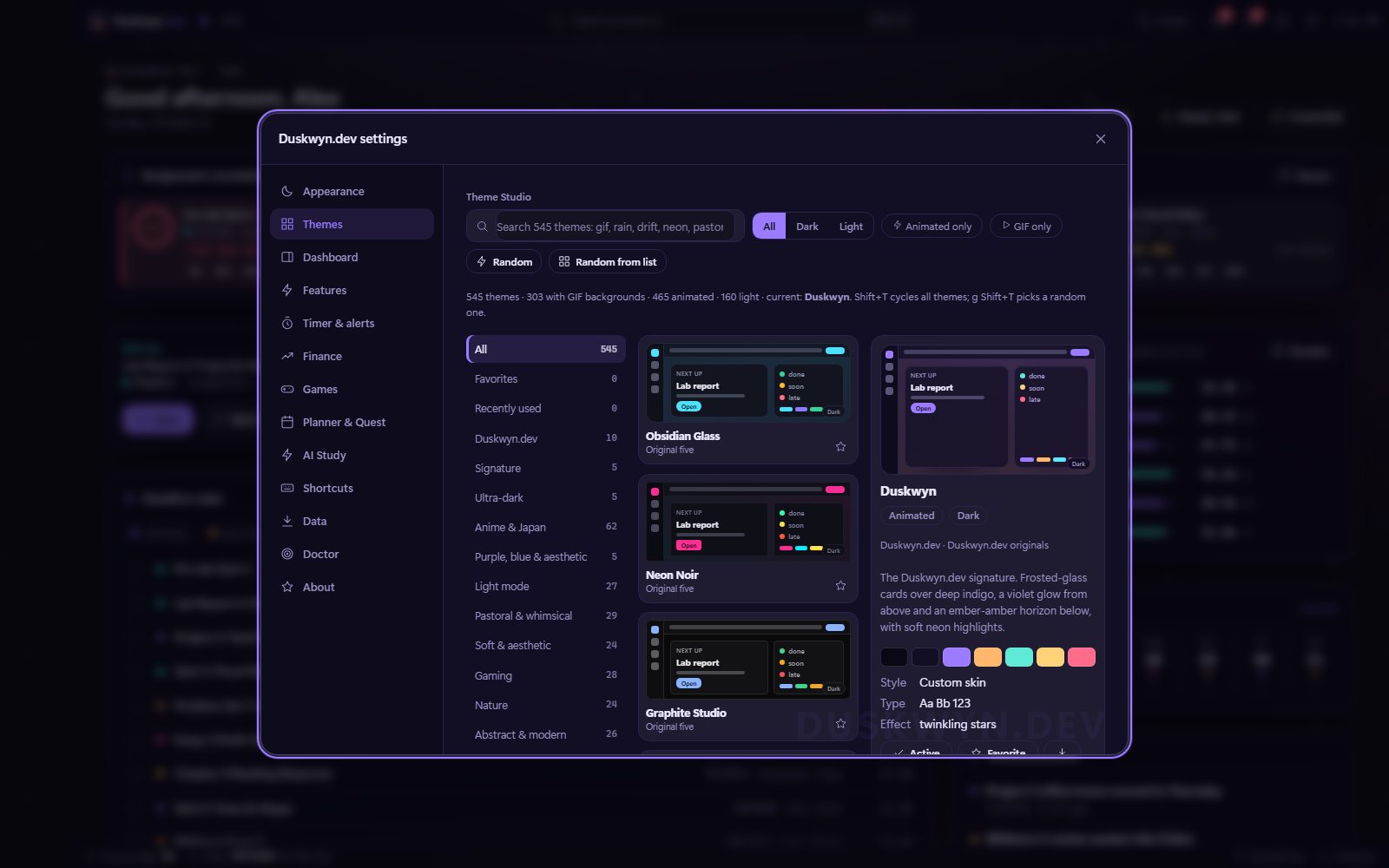
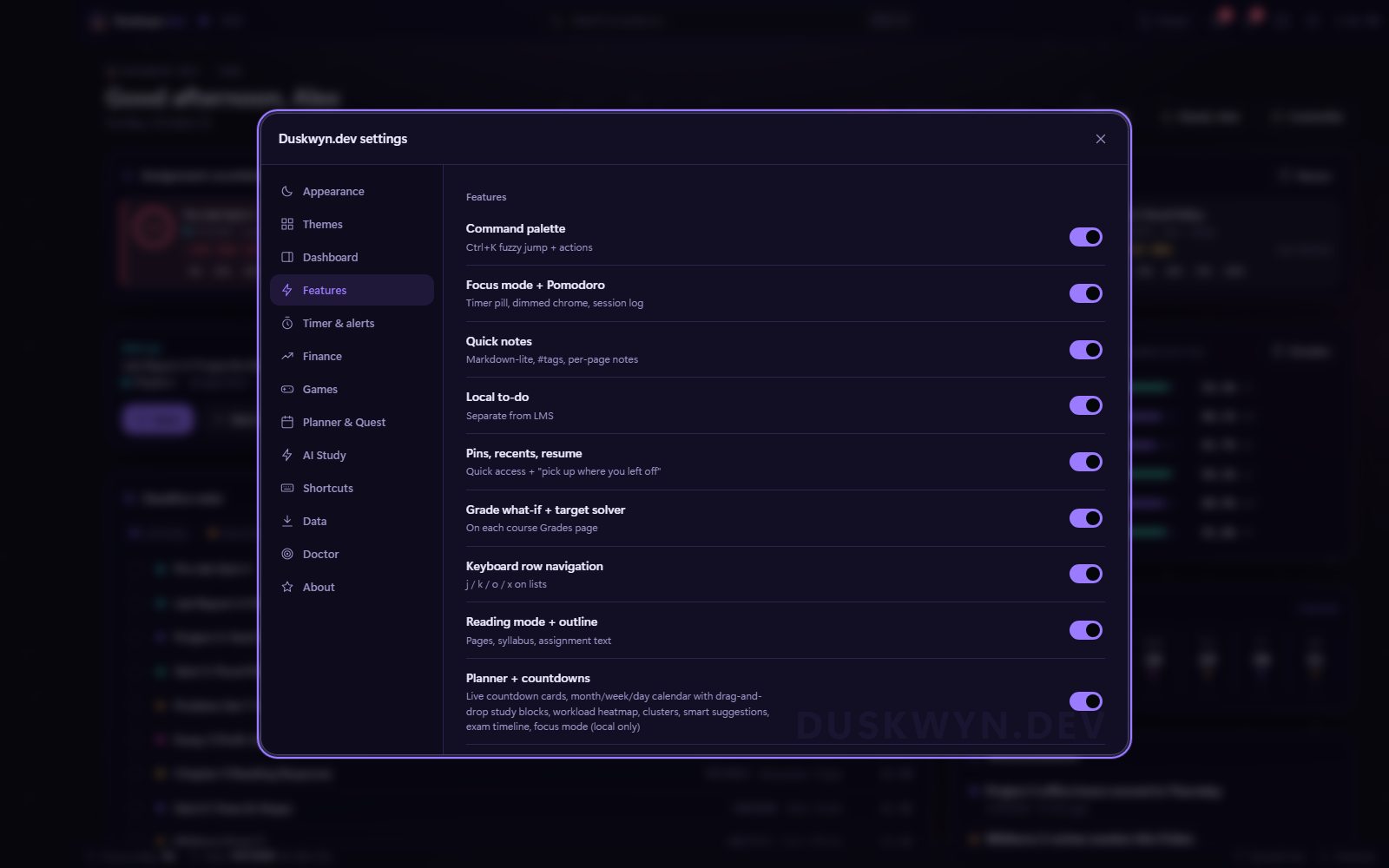
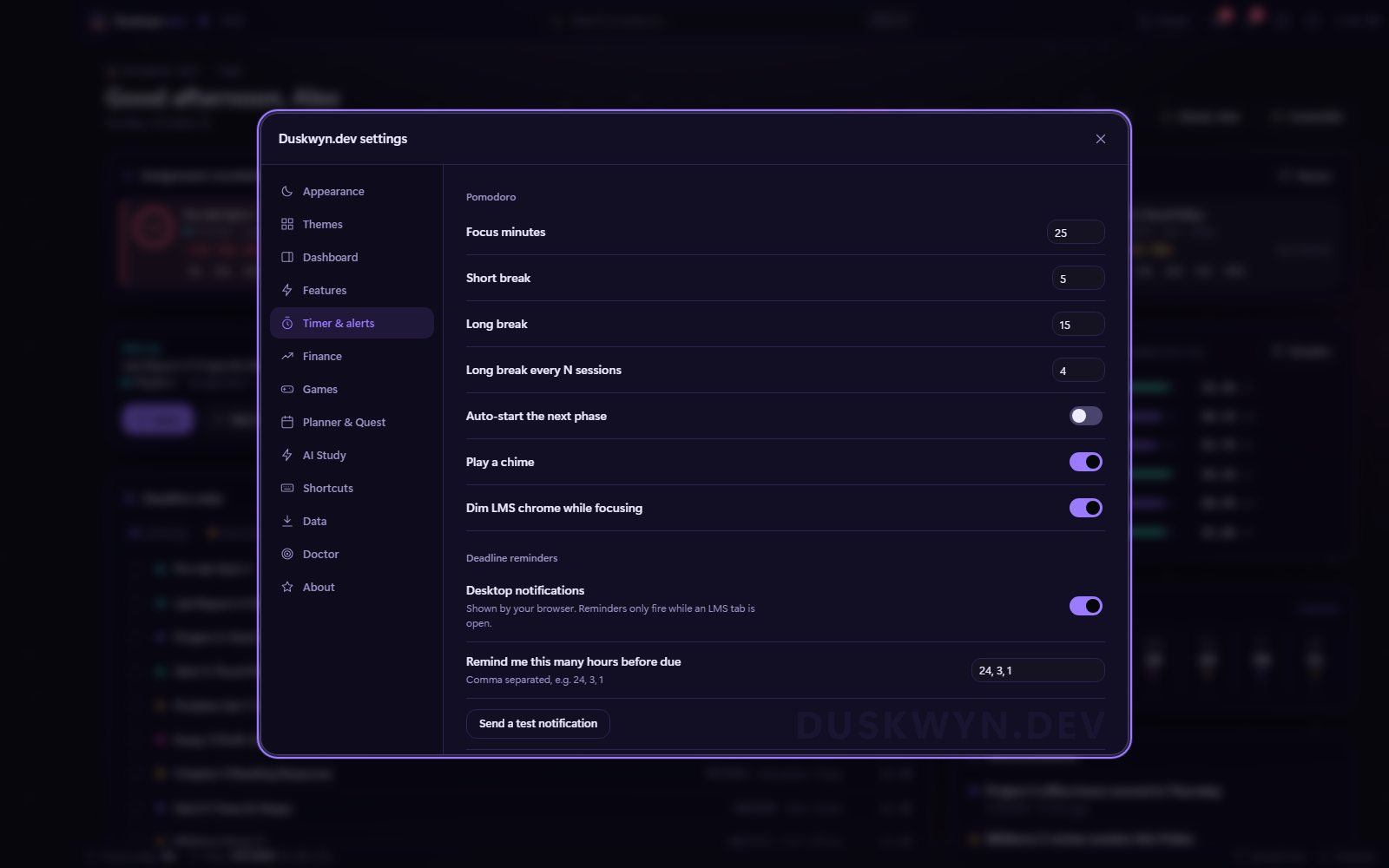
Performance Mode
Fast on any laptop

Lighter GIFs
16 frames at 4 fps in smaller sizes, plus a still frame while the window is unfocused or a game is running.


Built lean
Modules that are off never load, games pause when hidden, animations run on the GPU, and Animation off shows still frames.