
Dashboard & UI
An interface you arrange yourself
The Hub is a 12-column grid of widgets, wrapped in a top bar, a status strip, a slide-out dock and full-screen overlays. Every surface is built from the same theme tokens, so all 545 themes restyle all of it.
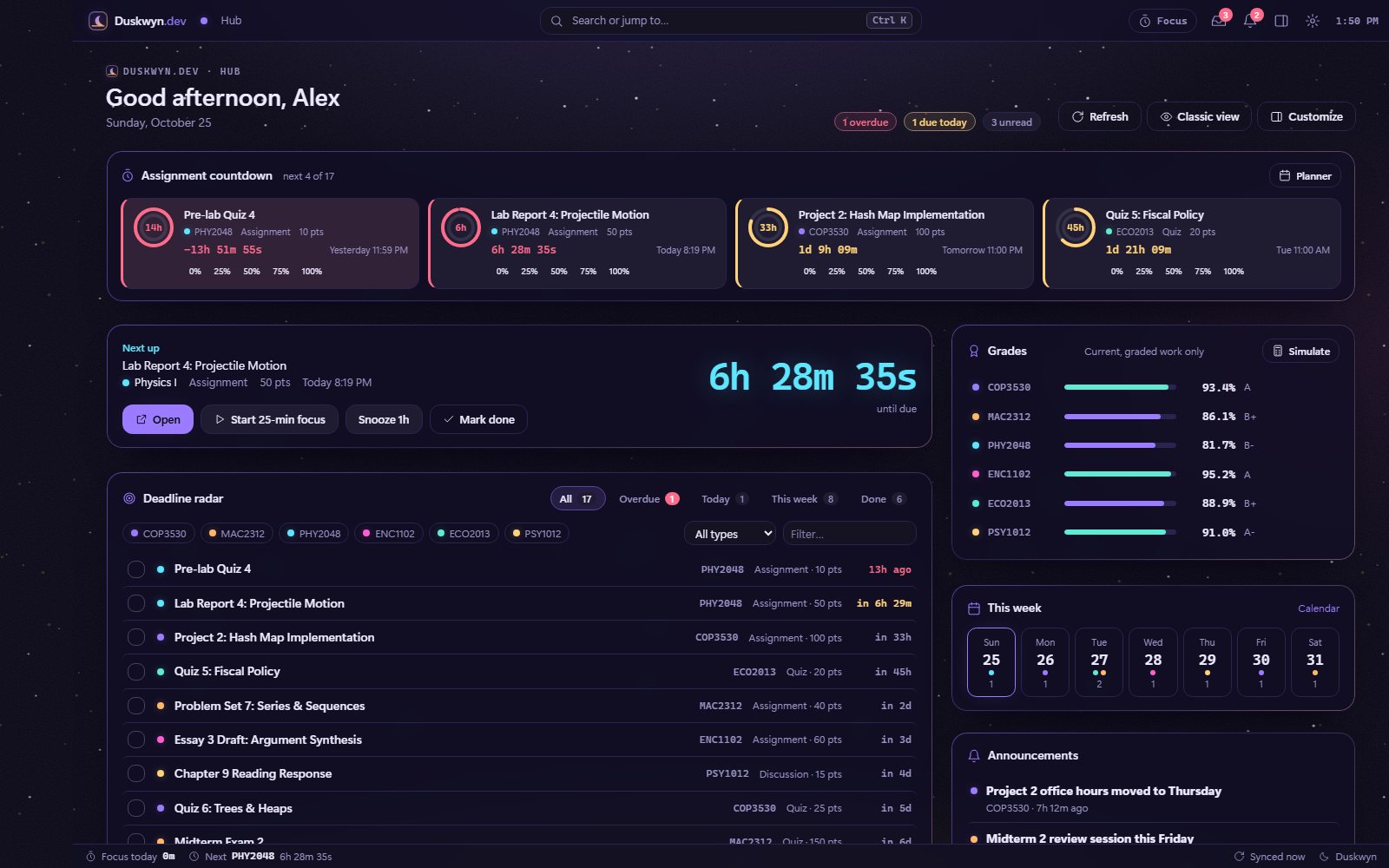
Anatomy
What’s on screen
- Top bar: the Duskwyn.dev logo, breadcrumb, a Search or jump to… box (Ctrl+K), a Focus pill, inbox and alert counters, a dock toggle and settings
- Hub header: a greeting, the date, overdue / due-today / unread chips, and the Refresh, Classic view and Customize buttons
- Widgets: the assignment countdown first, then Next up and Deadline radar, with Grades, This week and Announcements alongside
- Status strip: today’s focus time, your next deadline and sync status
Layout tools
Drag, resize, hide and save
In the script, Customize (or g e) puts the Hub into edit mode. You can drag widgets by their grip, resize from the corner, snap to a 12-column grid, hide or add widgets, save several layouts and lock the one you like. Positions animate with transforms only. Try a simplified version below: switch presets, or click Customize and drag one widget onto another.
 Layout
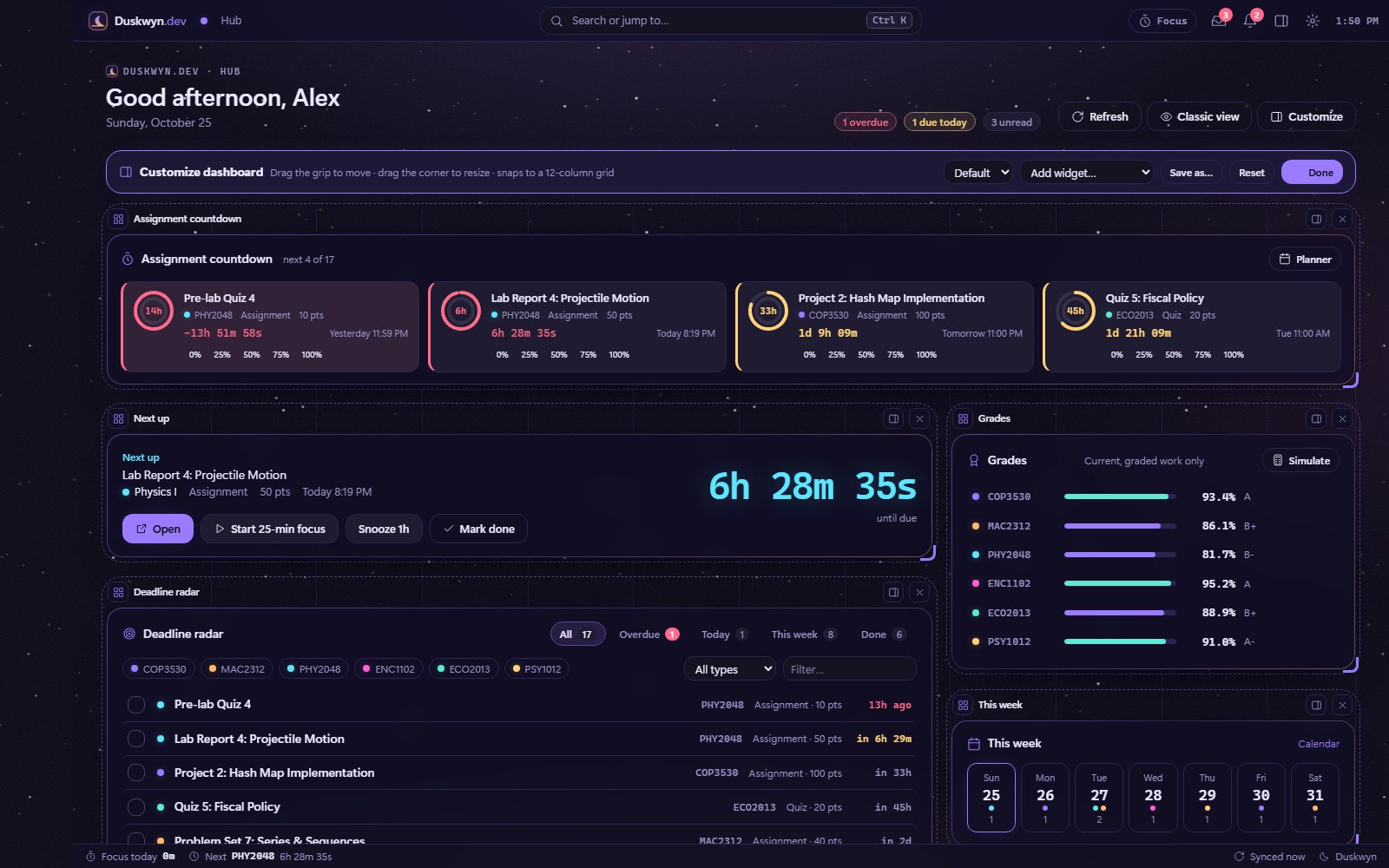
16 widgets
There are 12 widgets on by default and 4 extras you can add.
- Under 1100 px the Hub stacks into one column
- Hide or reorder course tiles, and choose how many countdown cards to show
- Layouts are stored locally and included in your backup
Panels & overlays
Layers, not new tabs
Everything opens on top of the page you’re on: a slide-out dock, modal windows and full-screen modules. Only one full-screen module is open at a time, and Esc always gets you out.
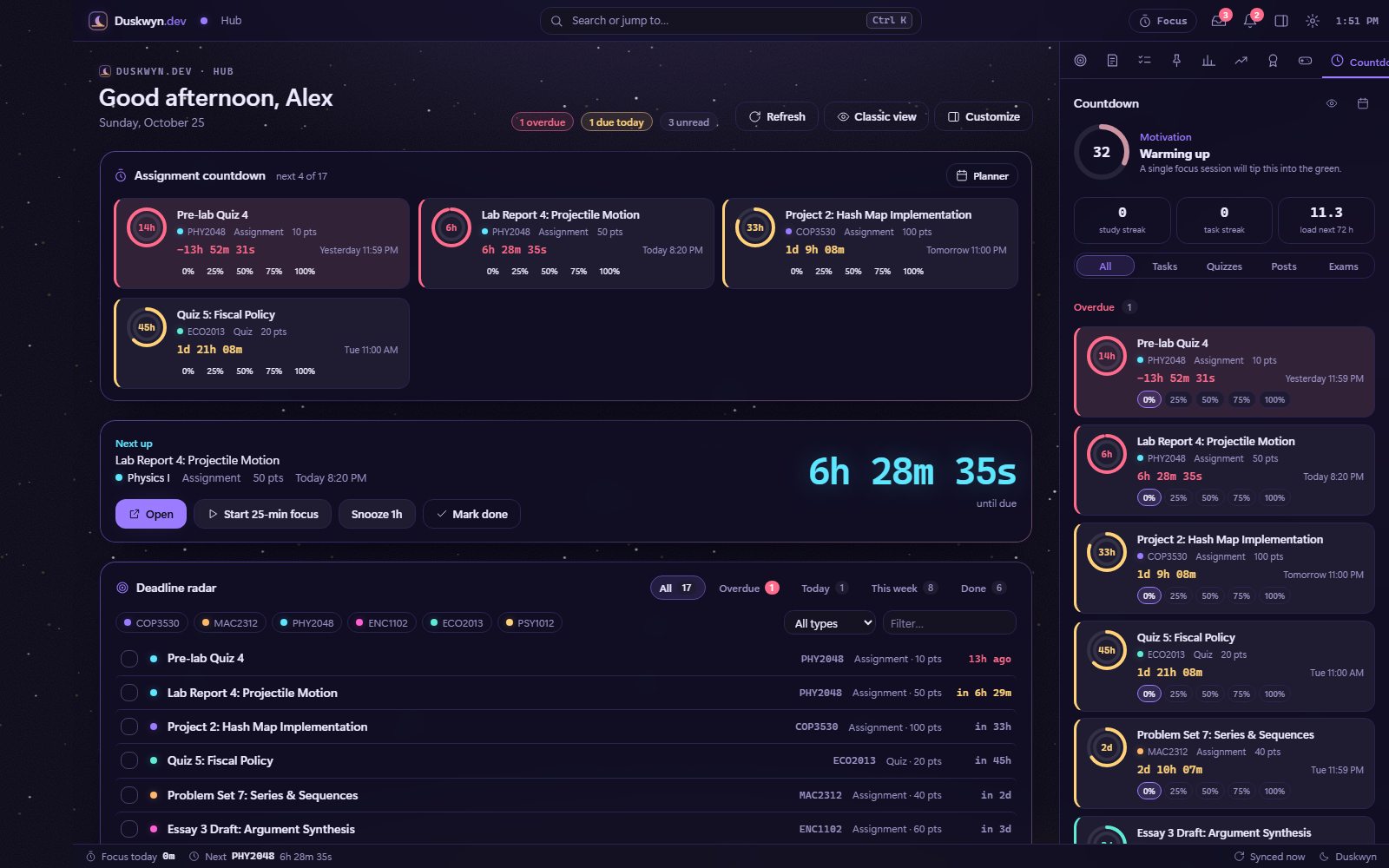
The dock slides in from the right, keeps its tab between visits and never covers the top bar.
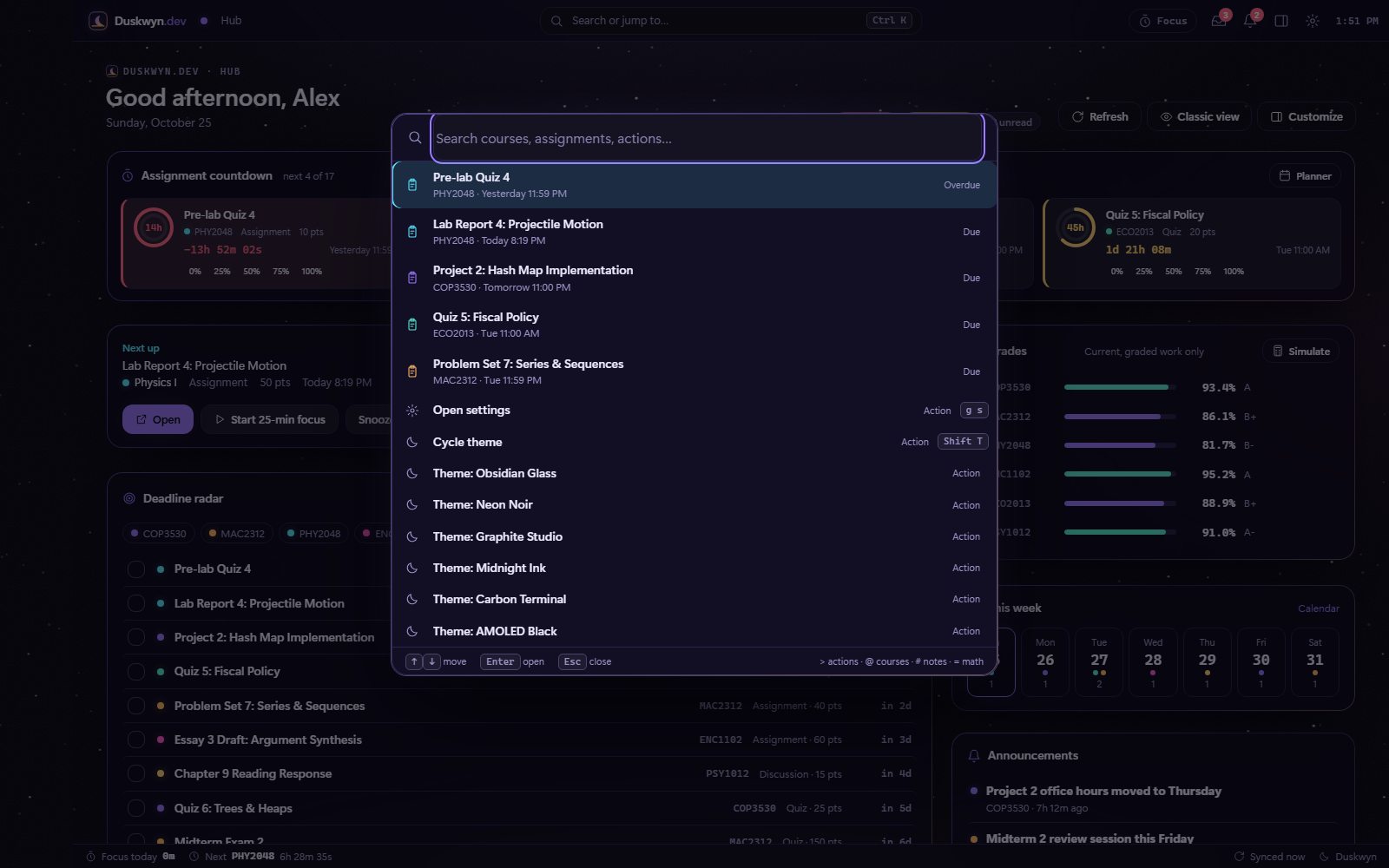
A fuzzy finder over courses, assignments, pages and every action.
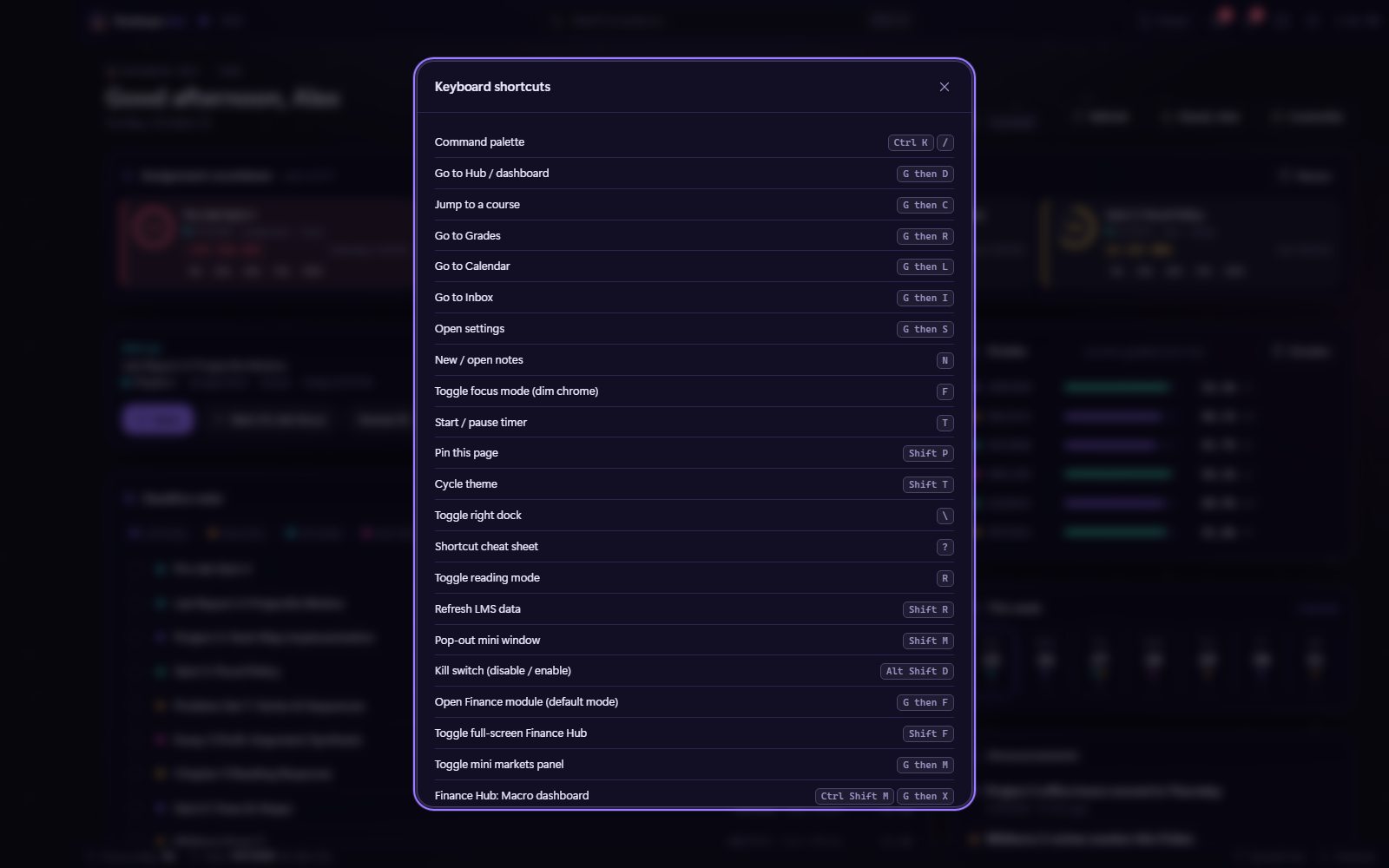
Every shortcut on one sheet. You can rebind any of them, including chords.
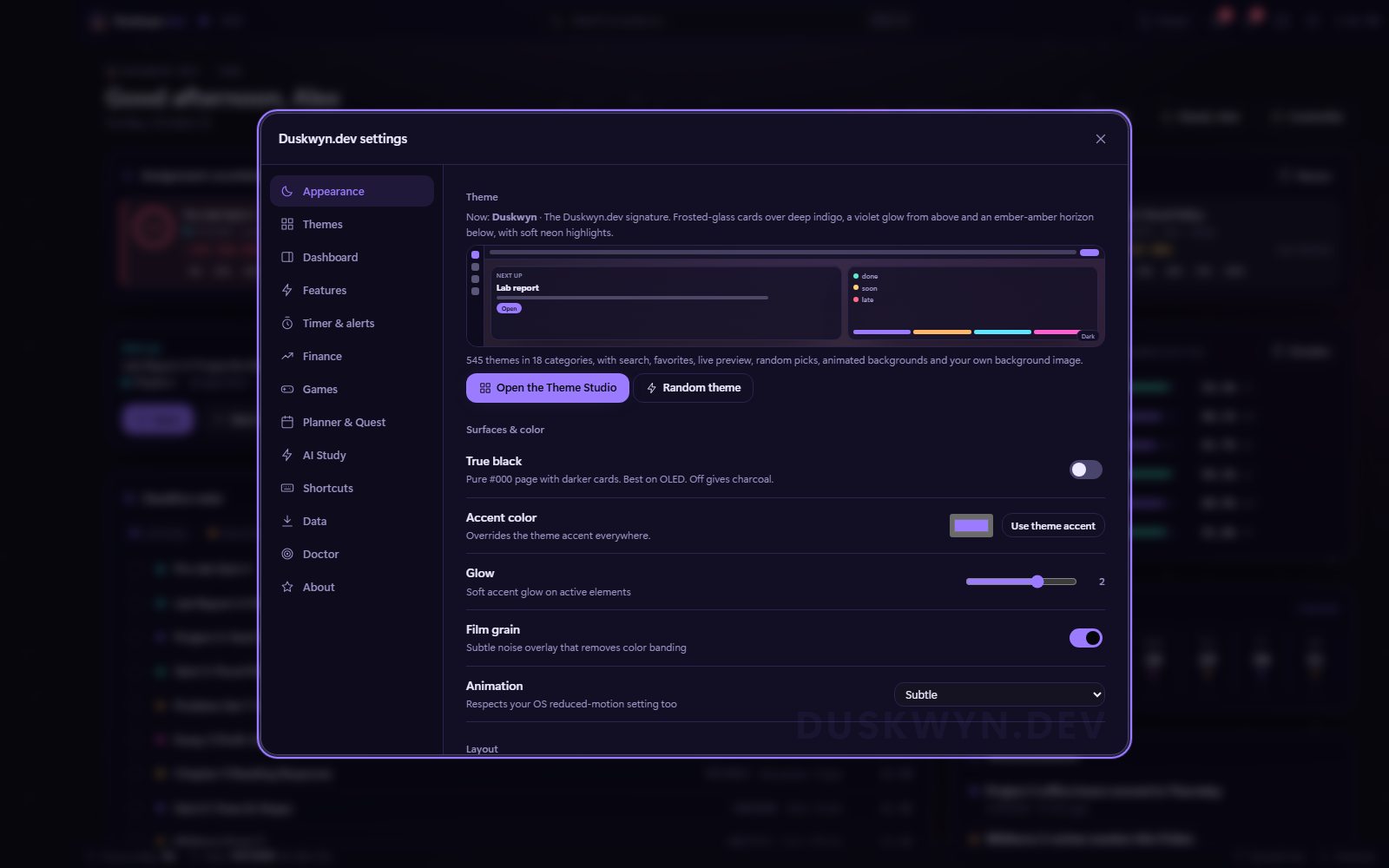
One window with 13 tabs. It slides in with a soft blur, and there’s a faint DUSKWYN.DEV watermark in the corner.
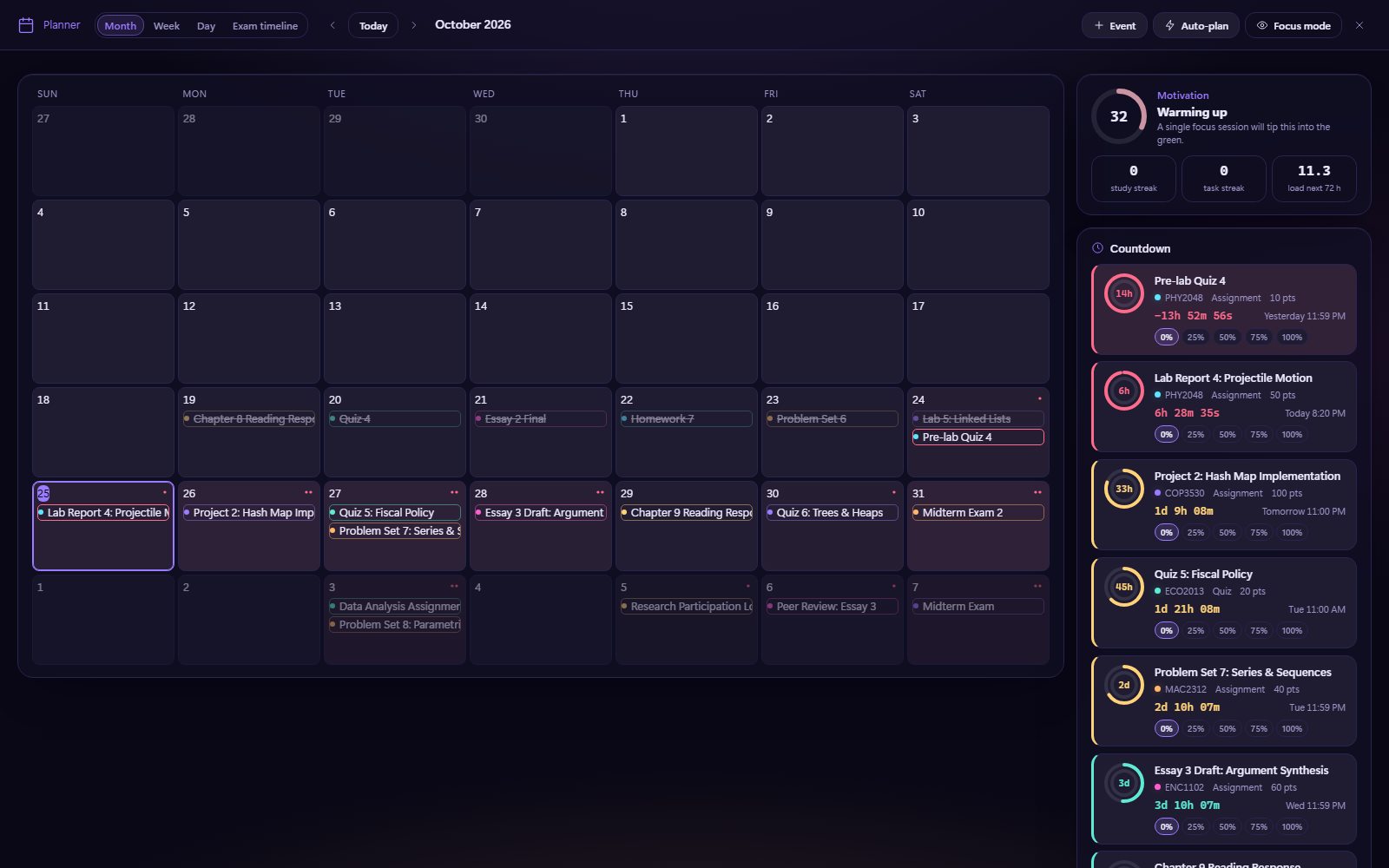
Planner, Study Quest, AI Study, Finance, Grade Simulator and Games all open as full-screen layers.
Glassmorphism
Frosted cards over moving scenes
Cards are translucent and blur whatever is behind them, even an animated GIF background. Play with the same three dials the script exposes, then flip on Performance Mode.
PHY2048 · Assignment · 50 pts
6h 28m 35s
In the script, Performance Mode switches to lighter 4-fps GIFs, shows a still frame while the window is unfocused or a game is running, and drops glass blur, which is the most expensive effect over a moving background.
Customization options
Settings → Appearance

True black
A pure #000 page with darker surfaces for OLED screens. It’s on by default.

Accent override
Use the theme’s accent, or pick any color and the whole UI follows.

Glow 0–3
Choose from no glow up to full neon halos on focus and hover.

Film grain
Subtle noise that removes banding in big gradients.

Motion
Off, subtle or full. It also respects your system’s reduced-motion setting.
Density
Minimal, balanced or busy spacing.

Contrast guard
Automatically fixes unthemed white boxes and unreadable text.

Smart invert
Re-colors white rich-text content and protects images.

Web fonts (optional)
Off by default. Turn it on for Inter, Space Grotesk, Outfit and friends.
Animated UI elements
Motion with a purpose
The script’s polish layer animates only transform and opacity, so it’s GPU-composited with no layout jank. All of it switches off with Animation off or reduced motion.
 Next uplive
PHY2048 · Assignment · 50 pts
In the script
- A loading screen with the logo and a progress bar, shown once per tab session (about 1 s at most)
- A staggered rise of the Hub widgets on first paint
- Modals that slide in with a soft backdrop blur
- Press feedback (a 0.97 scale), visible focus rings, and a sheen sweep on primary buttons
- Countdown rings, animated XP bars, level-up effects and badge toasts
- 17 animated background effects and 300+ GIF scenes