
Modules
Every module, shown not told
Duskwyn.dev is built from independent modules. Each one boots on its own and can be switched off in Settings → Features, and a module that’s off doesn’t load at all. Here’s what each one looks like.
Module map

Hub
The new dashboard, with 16 widgets on a 12-column grid.

Right dock
11 quick panels a keypress away.

Command palette
Fuzzy-jump and run actions with Ctrl+K.

Planner
Calendar, study blocks and live countdowns.

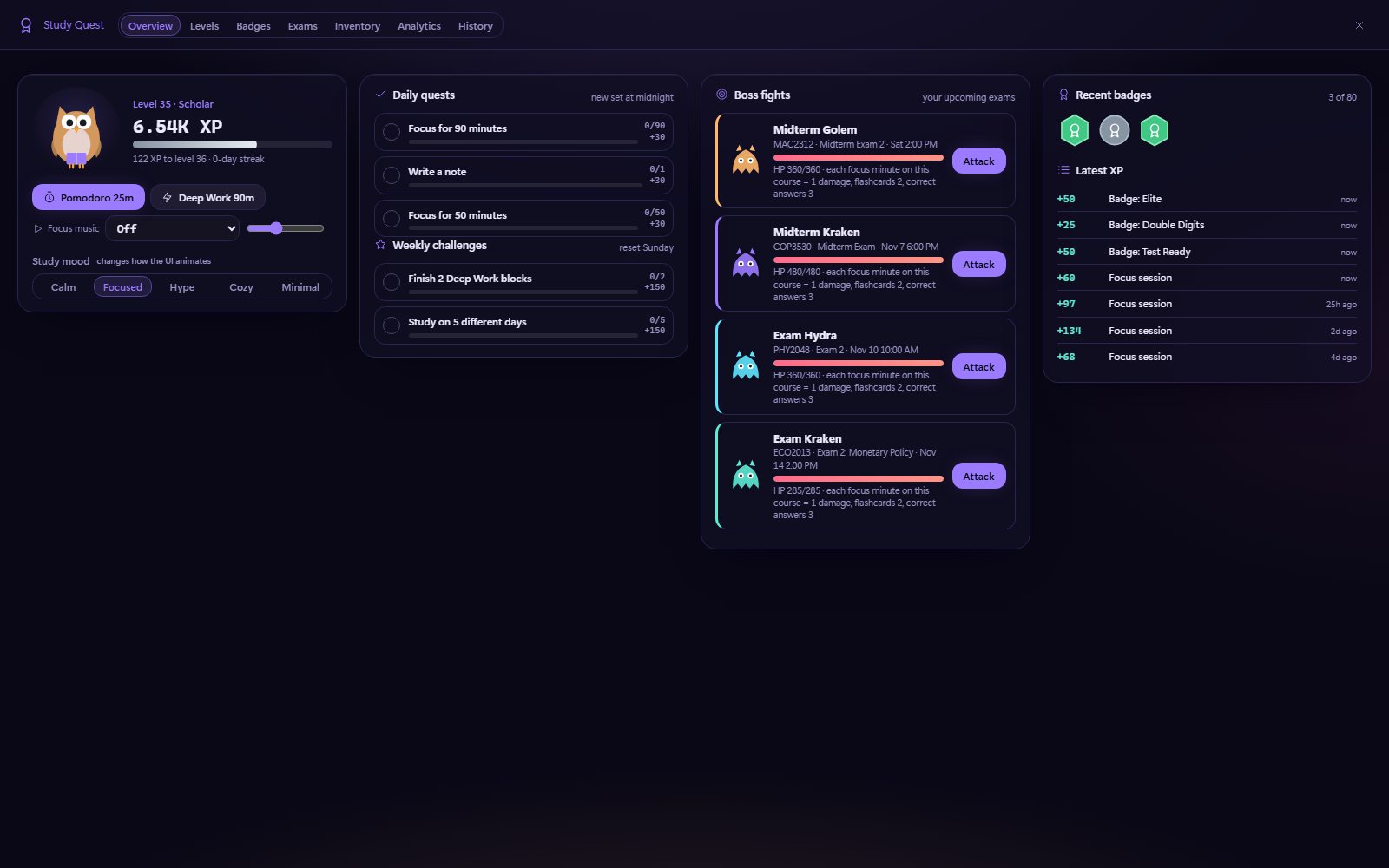
Study Quest
XP, levels, badges and exam leveling.

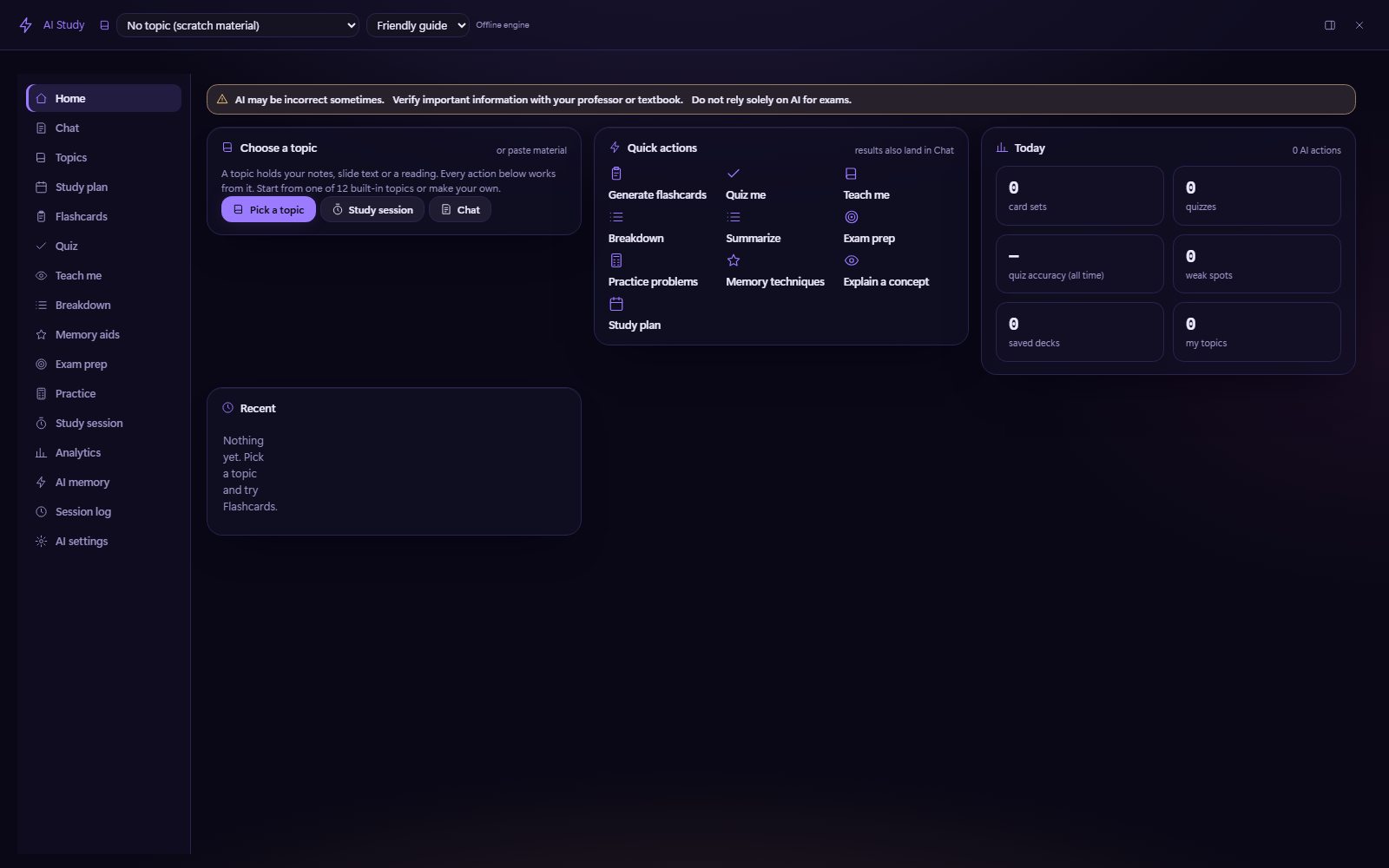
AI Study
16 study views that work offline by default.

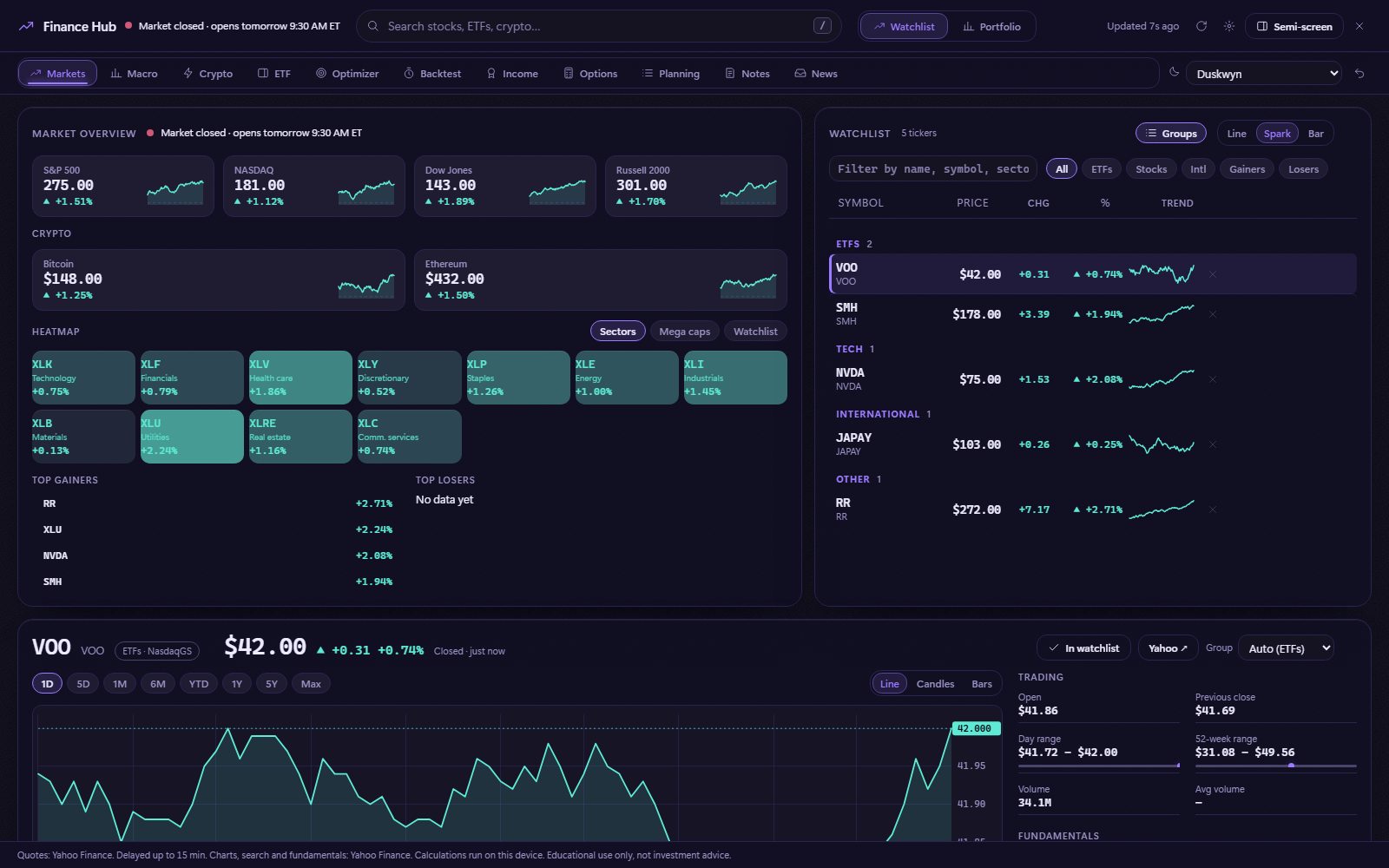
Finance
Markets dashboards and 37 calculators.

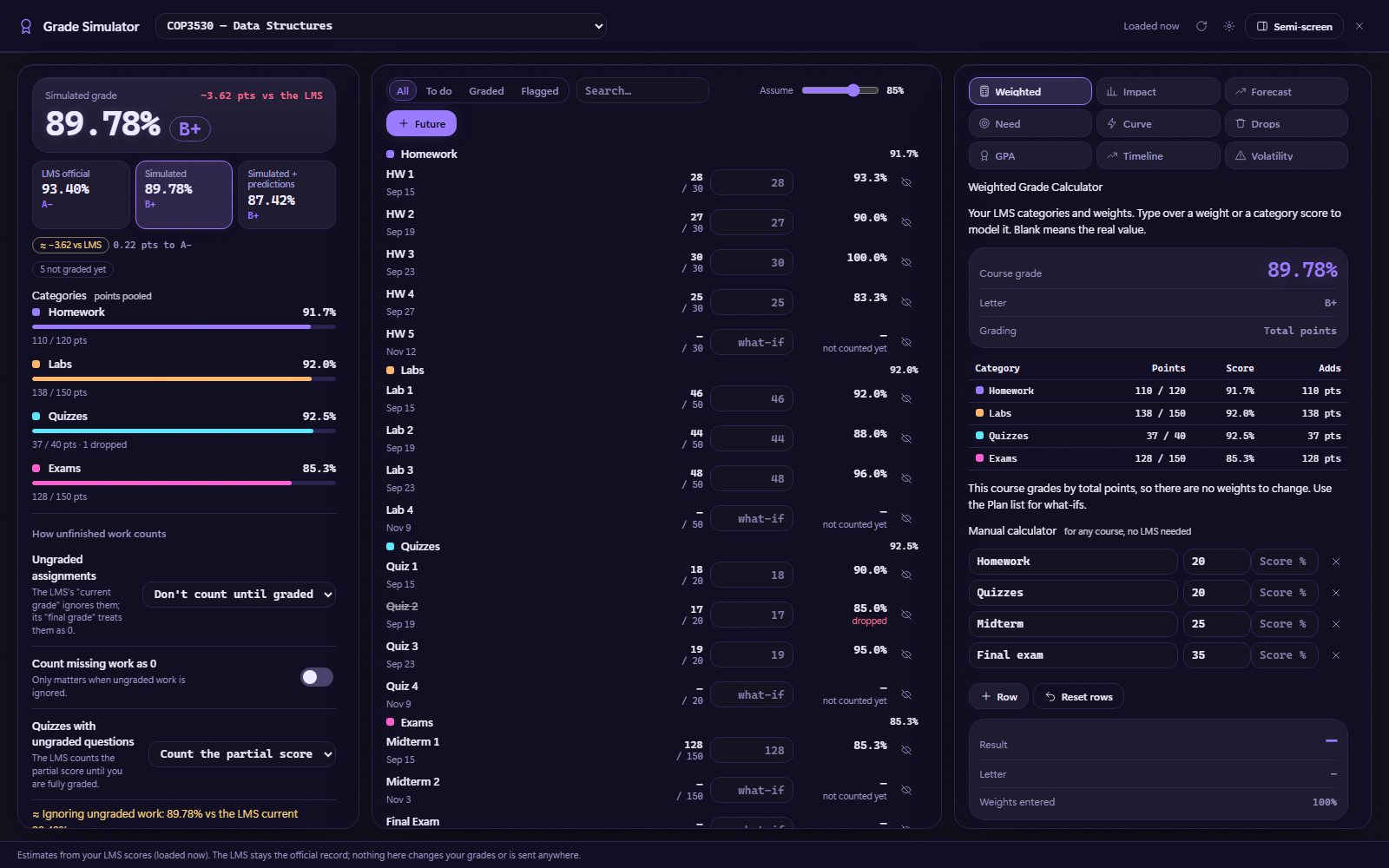
Grade Simulator
Read-only what-if planning with nine tools.

Games
Eleven sandboxed mini-games.

Themes
545 themes and the Theme Studio.

Settings
13 tabs, from Appearance to Doctor.

Page upgrades
Better Modules, Assignments and Grades pages.
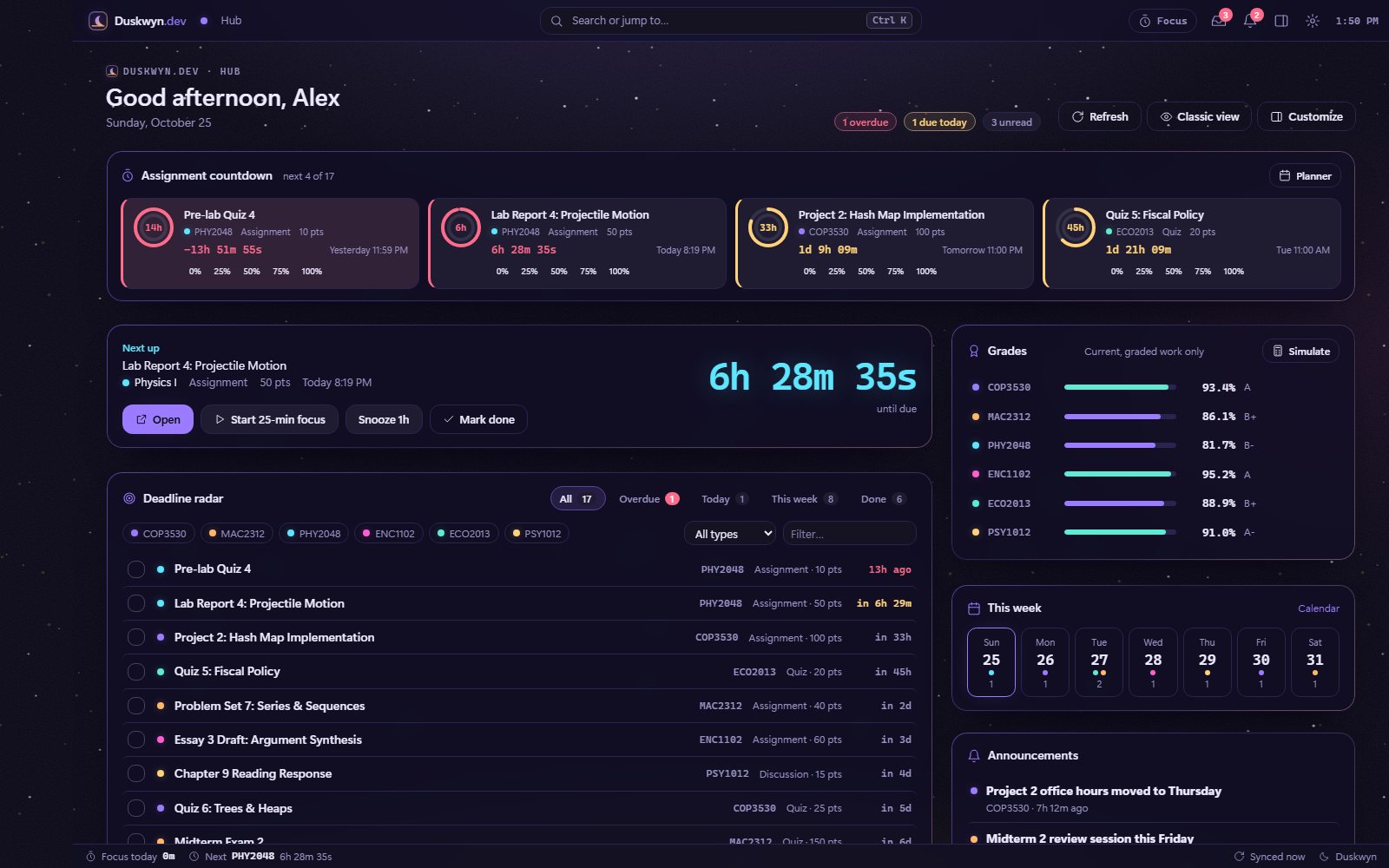
01 · Hub
The dashboard, rebuilt
The Hub replaces the Canvas dashboard with what actually matters today. The first paint comes instantly from a local cache, and then the Hub refreshes with read-only LMS data. Classic view brings back the native page in one click.
- Assignment countdown cards with urgency colors and progress rings
- A giant Next up timer with Open, Start 25-min focus, Snooze 1h and Mark done buttons
- A deadline radar with course chips, a type filter and Overdue / Today / This week / Done tabs
- Grades, This week, Announcements, Study stats, Pins, Scratchpad and Exam leveling widgets
g d Hub · g e Customize · Dashboard & UI in depth →
02 · Right dock
Eleven panels, one keypress
Press \ to slide out the dock on any page. Click a tab to see the real panel.
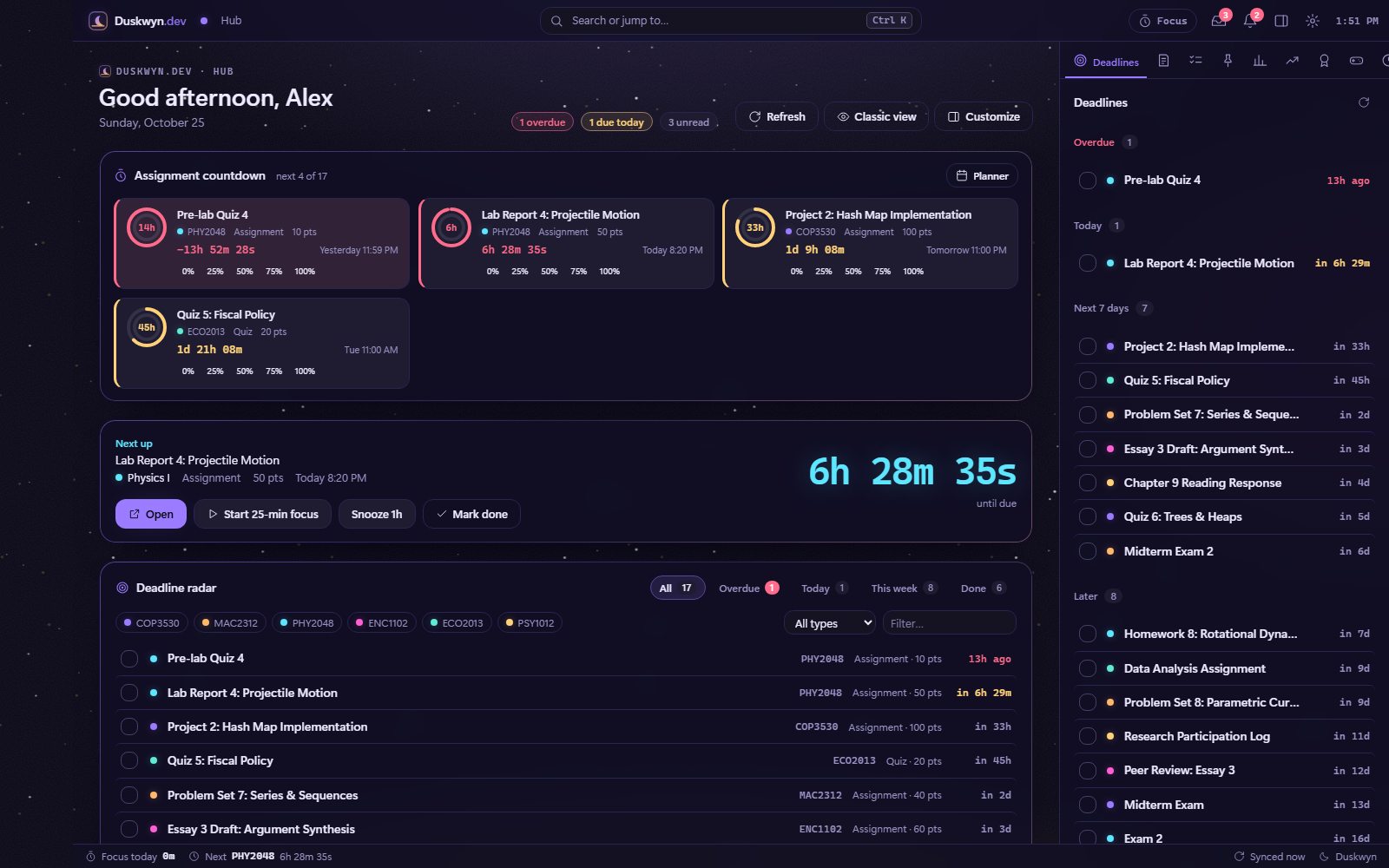
Every open item sorted by urgency. Tick an item off locally with x, and Canvas is never touched.
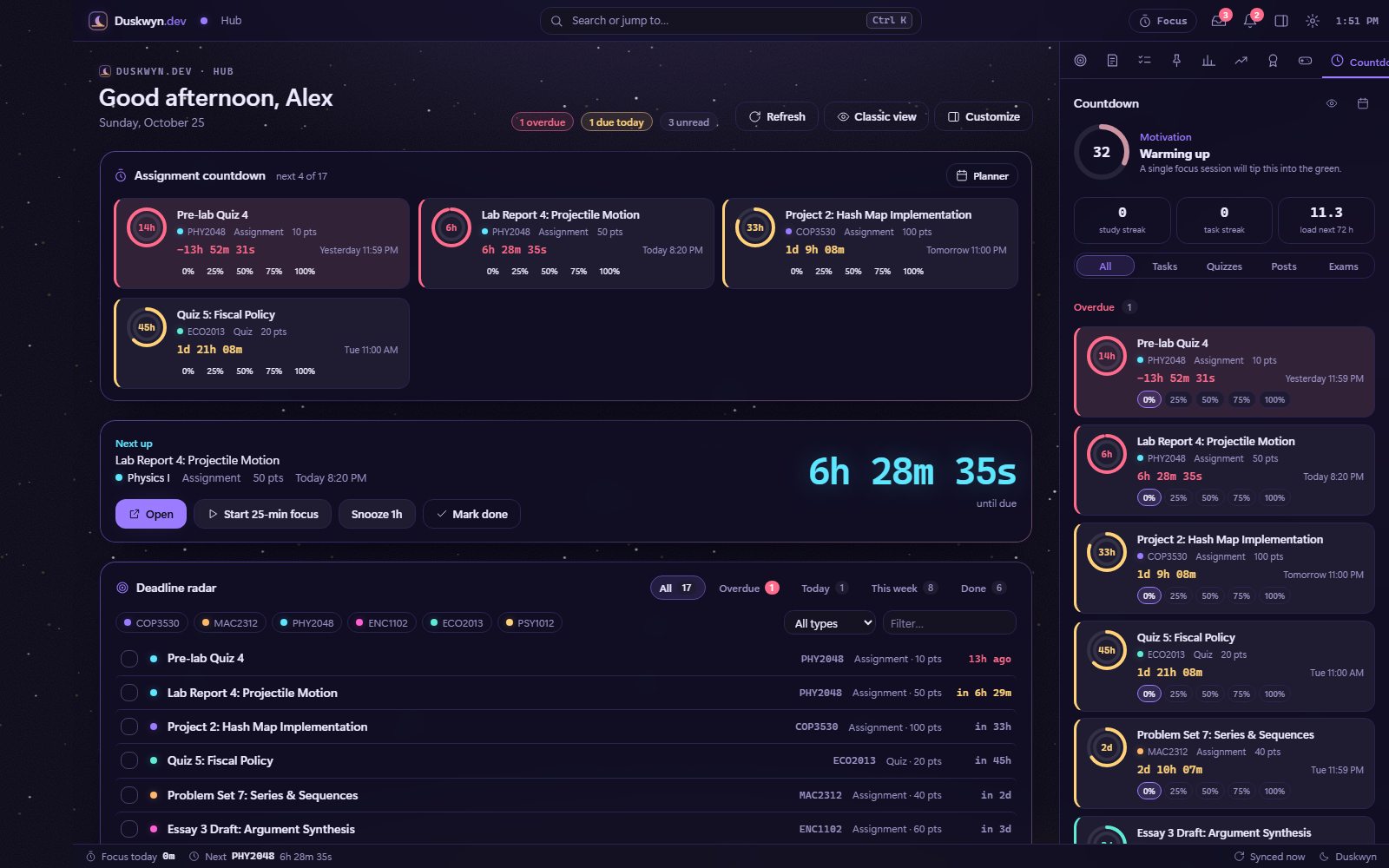
Live countdown cards with streaks and a motivation meter. Open it with g u.
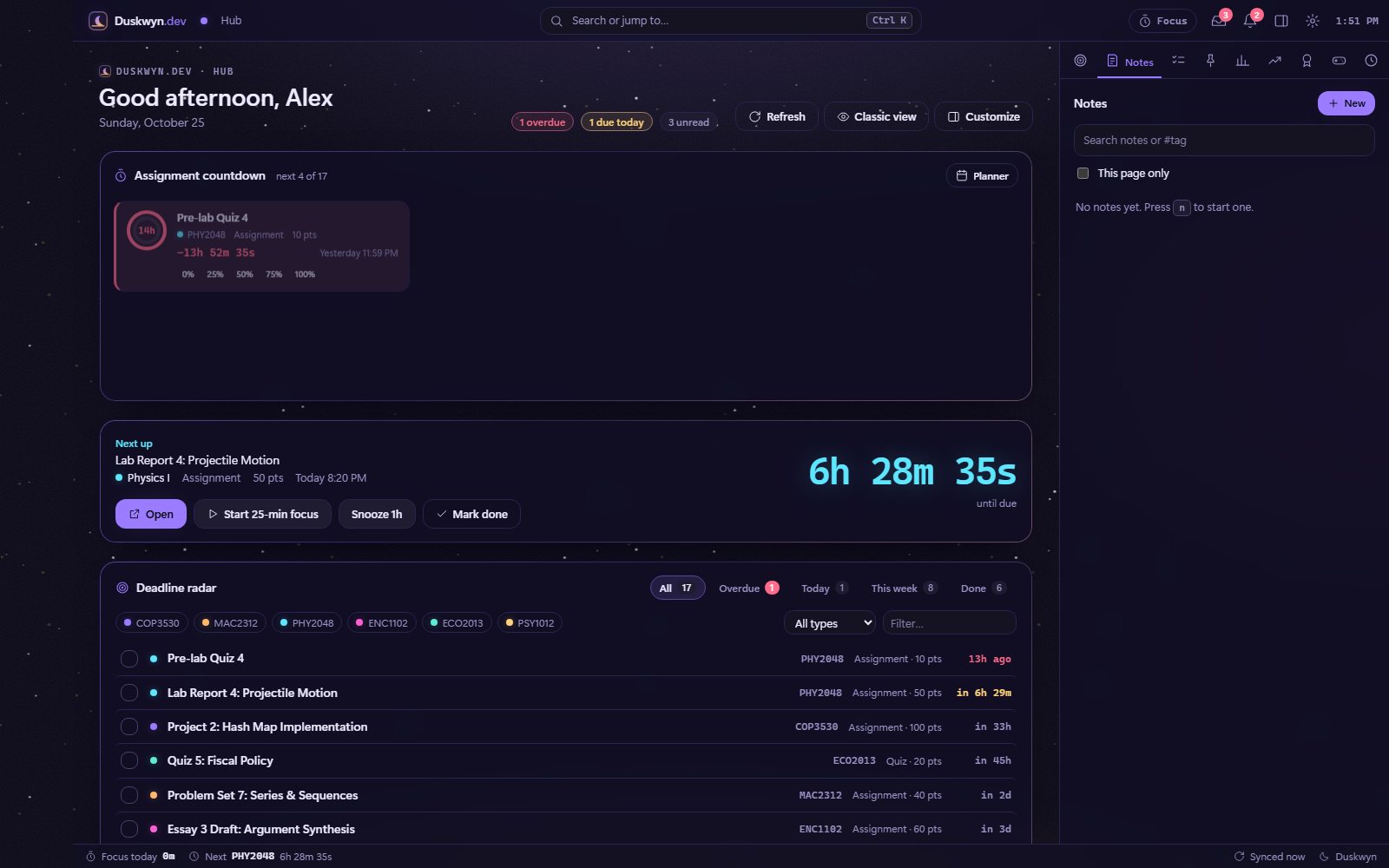
Quick notes with #tags, plus a per-page note attached to whatever you’re reading. Press n to open them.
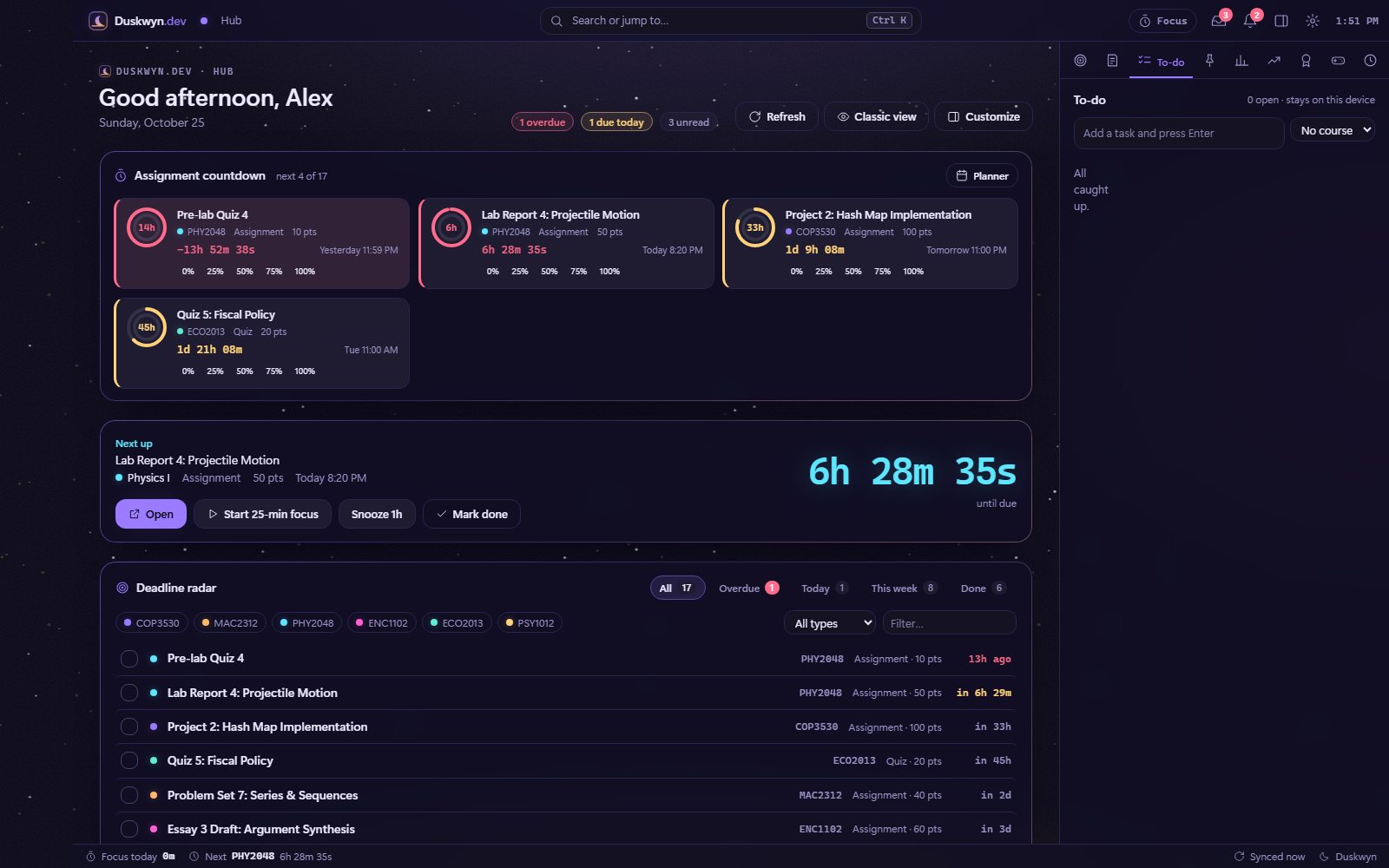
A personal to-do list stored on this device, kept separate from your Canvas to-dos.
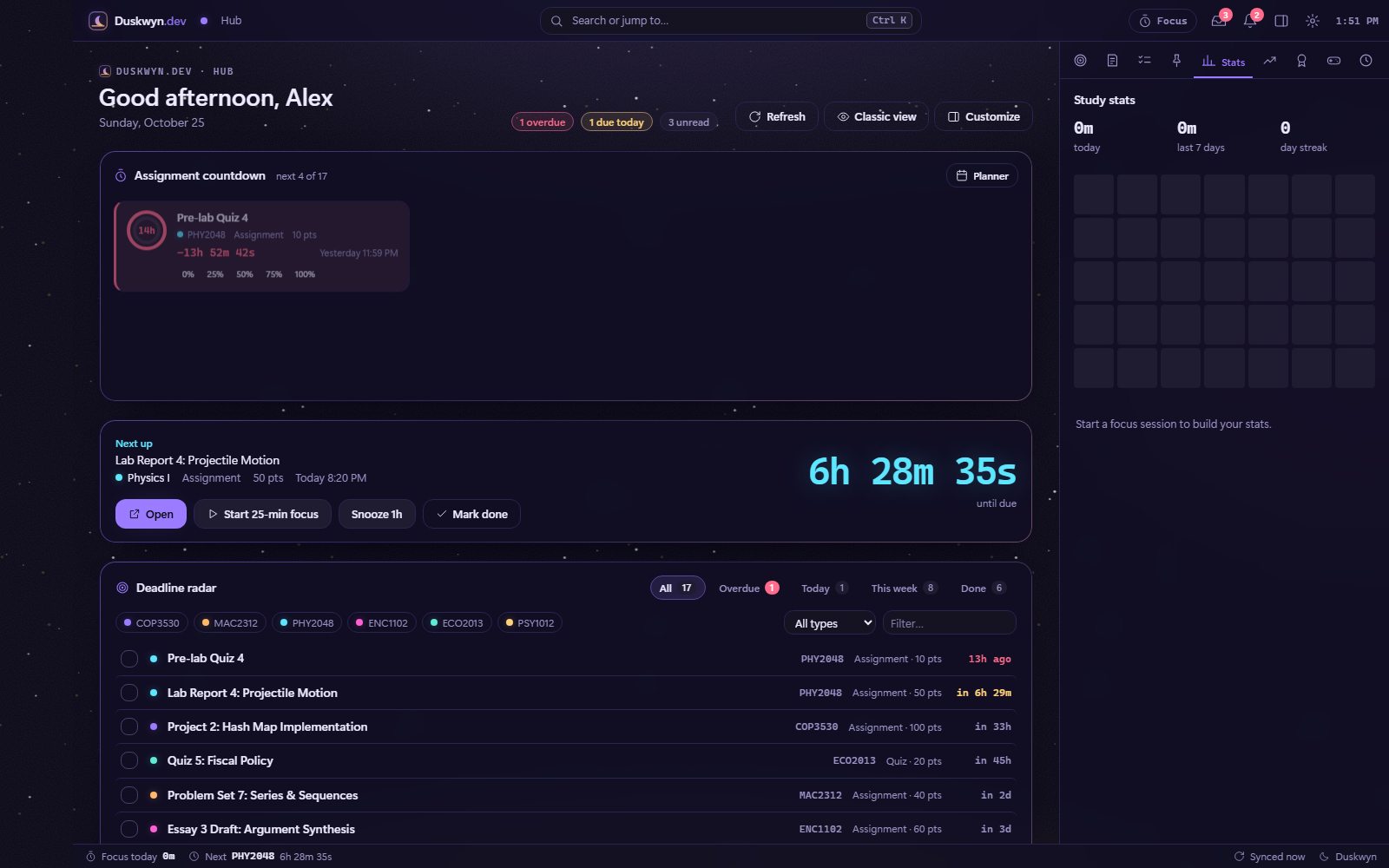
Focus minutes, streaks and a study heatmap built from your Pomodoro sessions.
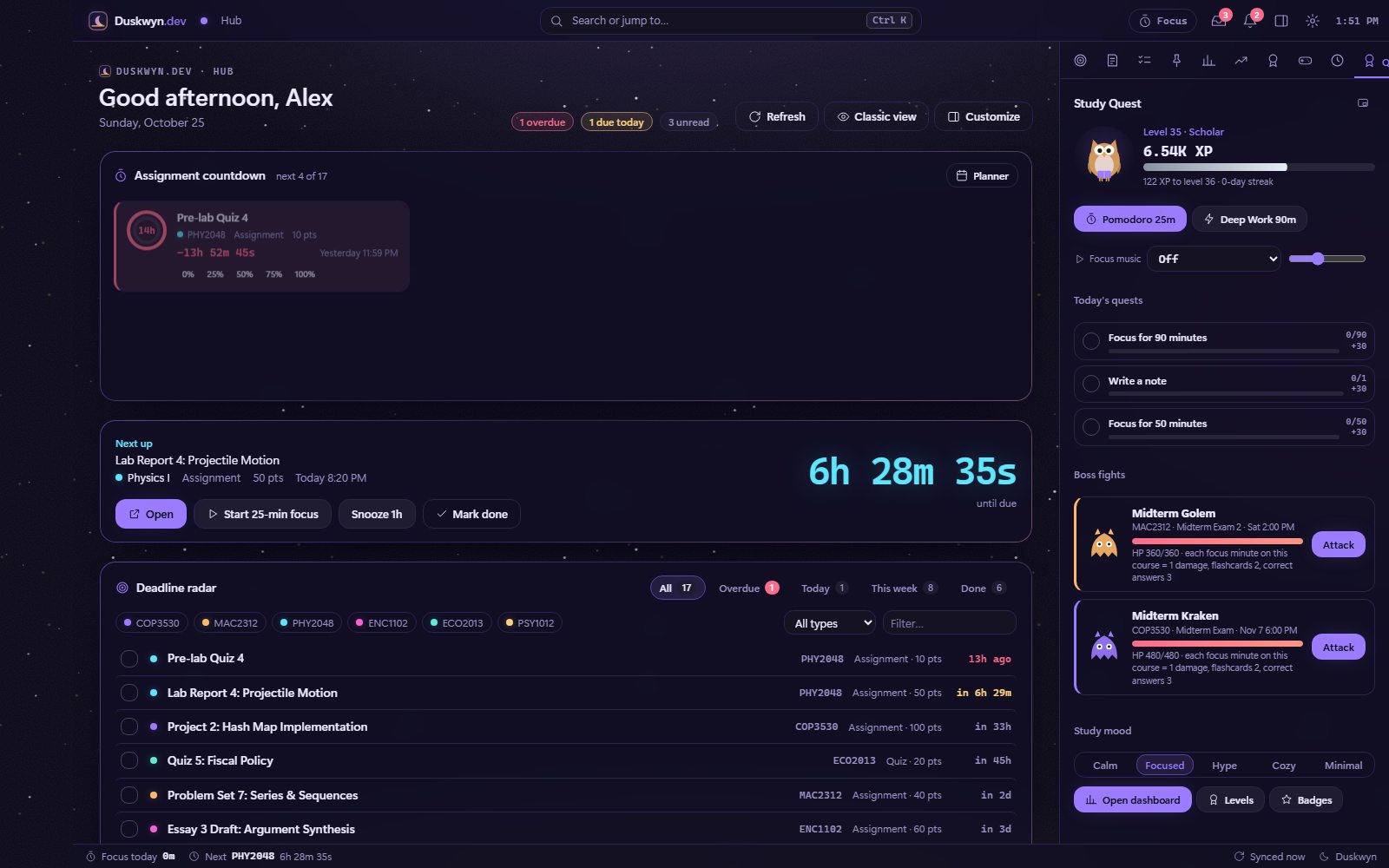
Your level, today’s quests and recent XP, without leaving the page.
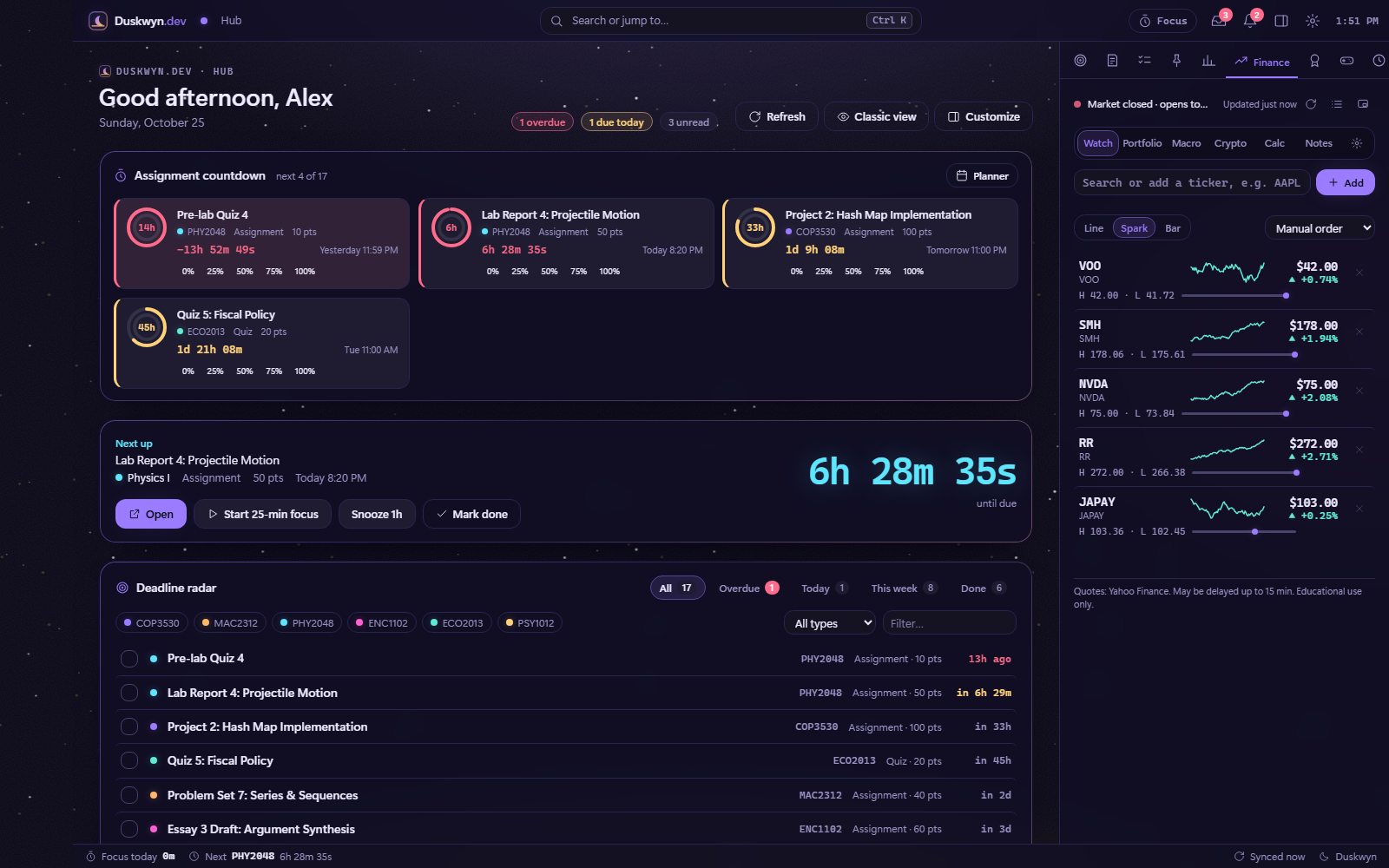
A compact watchlist with sparklines. Market prices here are demo data.
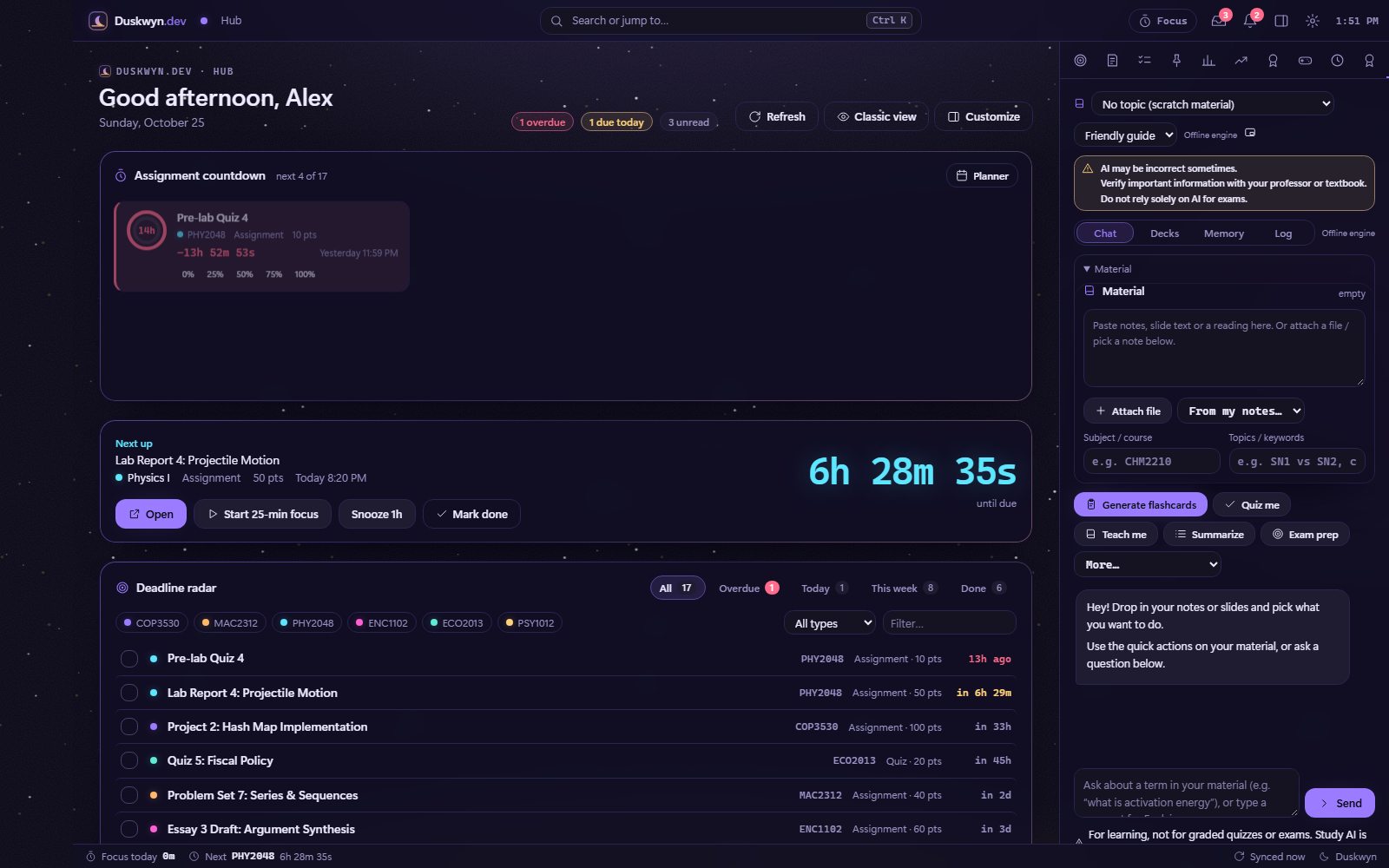
AI Study as a side panel, with material, quick actions and the pinned accuracy warning.
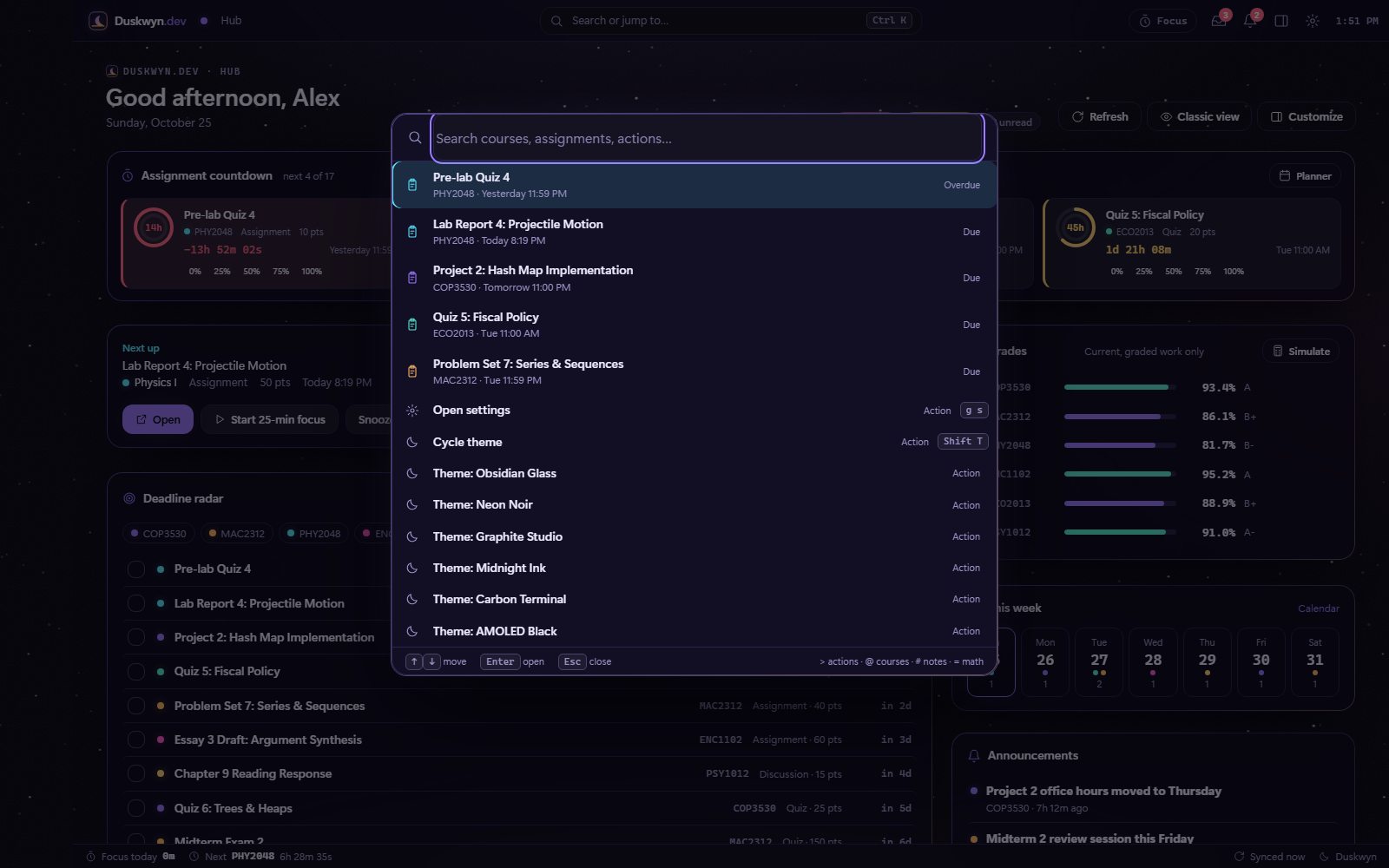
03 · Command palette
Type, don’t click
Ctrl+K (or /) opens a fuzzy finder for courses, assignments, pages and actions. Every action has a rebindable shortcut, including two-key chords like g p. Try the live version below: it searches the script’s real action list.
04 · Planner & countdown
Every deadline, on a calendar you control
Deadlines come from the LMS. Study blocks, events and progress you add stay on your device. See it in Tools →
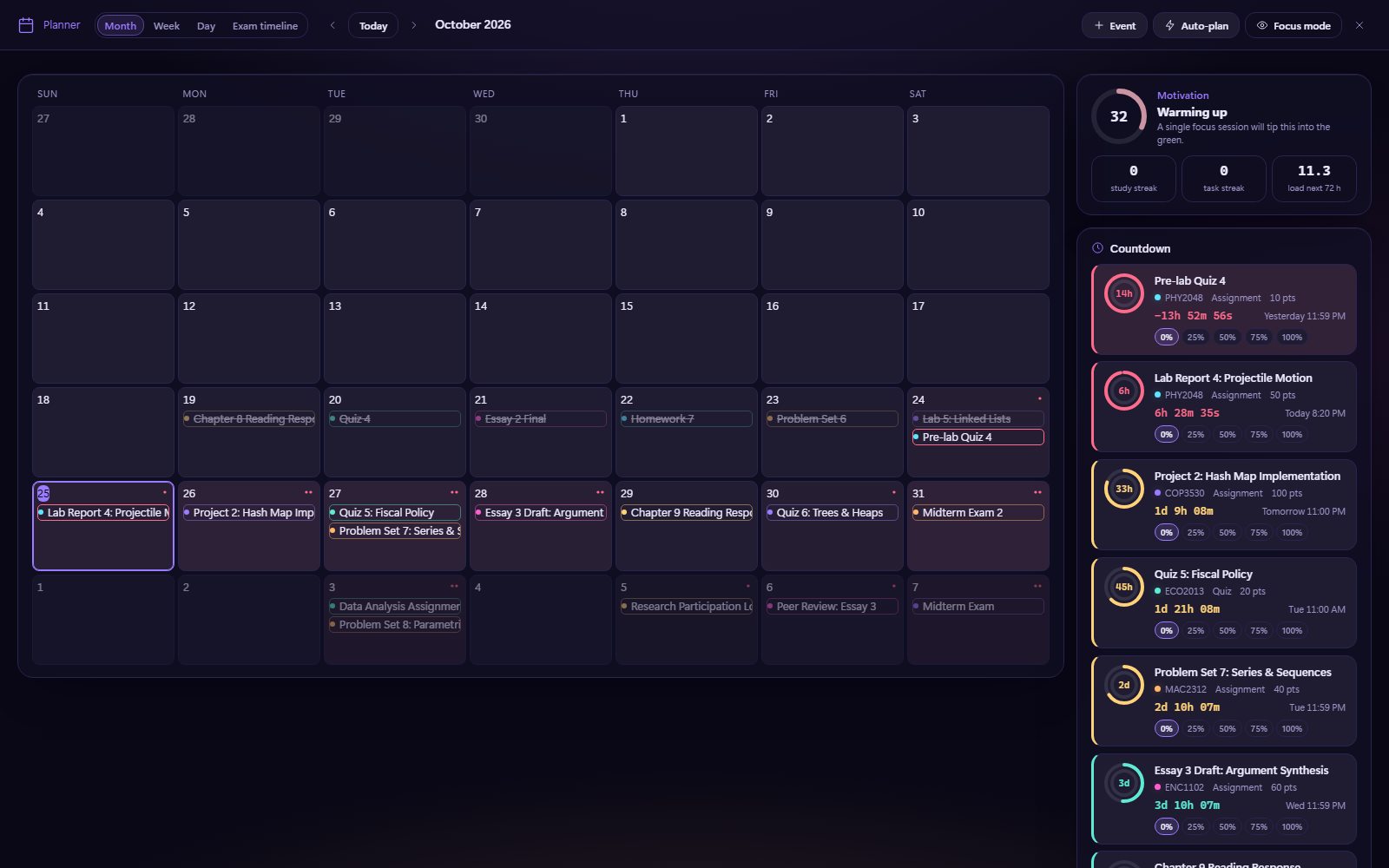
Month, Week, Day and Exams views. Drag study blocks in, then use the workload heatmap, deadline clusters, smart suggestions and Auto-plan.
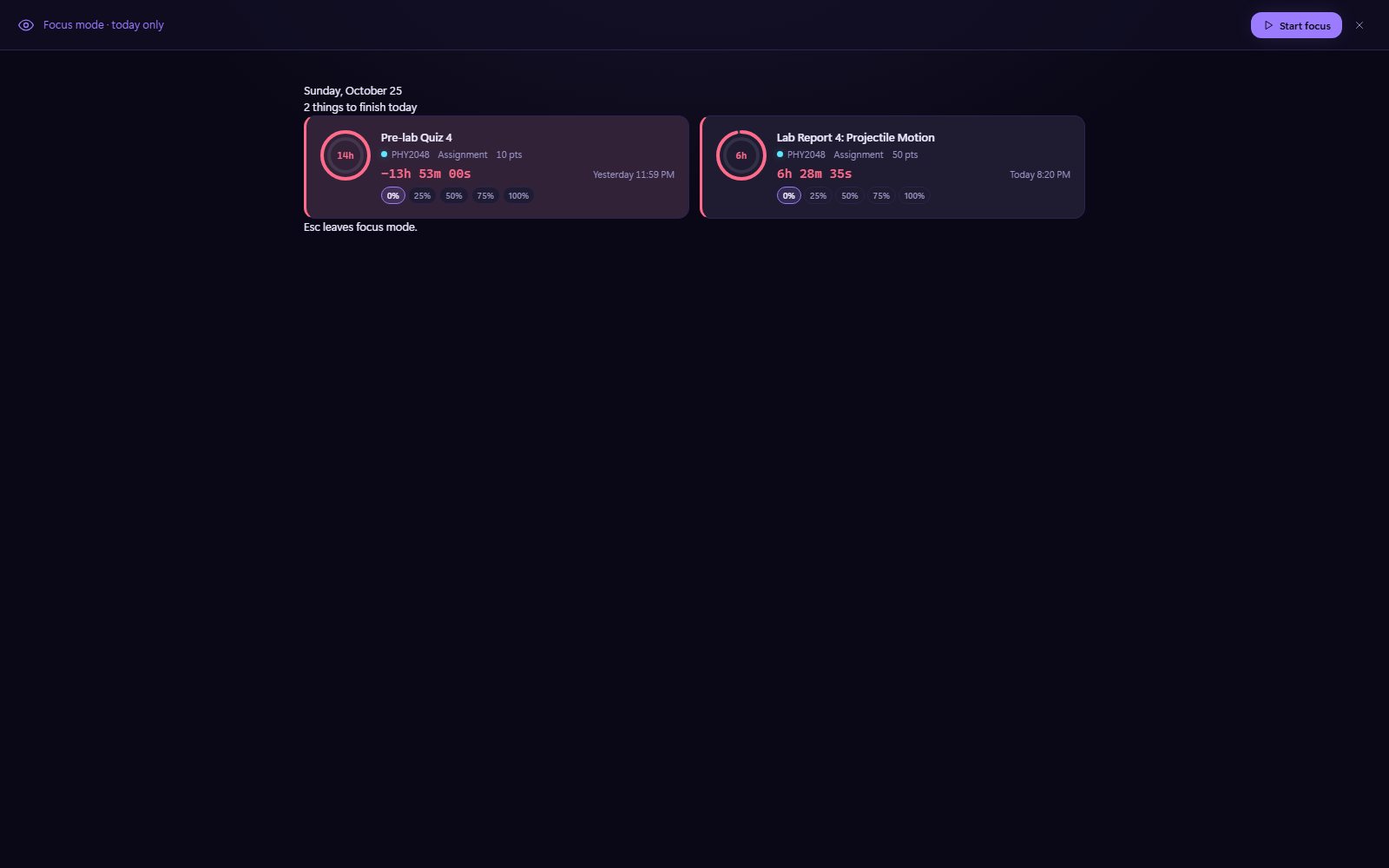
A calm full-screen view of only what’s due today.
Live timers, urgency colors, progress rings and percent done.
05 · Study Quest
Studying, gamified
Levels run from 1 to 100 across 13 tiers, from Hatchling to Legend, with an owl avatar that evolves as you go. There are 80 badges in five rarities, daily quests, weekly challenges, exam boss fights, a separate exam rank from 1 to 20, Deep Work sessions and locally generated focus music.
g q Study Quest · Exam leveling in depth →
06 · AI Study
A study companion, offline first
There are 16 views: Home, Chat, Topics, Study plan, Flashcards, Quiz, Teach me, Breakdown, Memory aids, Exam prep, Practice, Study session, Analytics, AI memory, Session log and AI settings. Twelve built-in topic packs work with no key at all. An optional provider key enables full AI, and a consent notice lists exactly what will be sent before the first request.
g a AI Study · More →
07 · Finance
A mini markets terminal
A watchlist, portfolio, interactive charts and stock search. A workspace bar switches between Markets, Macro, Crypto, ETF, Optimizer, Backtest, Income, Options, Planning, Notes and News, and the module includes 37 calculators. Panels are draggable and resizable, and the module is off until you turn it on.
g f Finance · Shift+F full screen · More →
08 · Grade Simulator
Plan the grade you want
Type what-if scores and flip between LMS official, Simulated and Simulated + predictions. There are nine tools: weighted, impact, forecast, minimum score, curve, drops, GPA, timeline and volatility. It only reads your scores and never changes anything.
g w Grade Simulator · More →
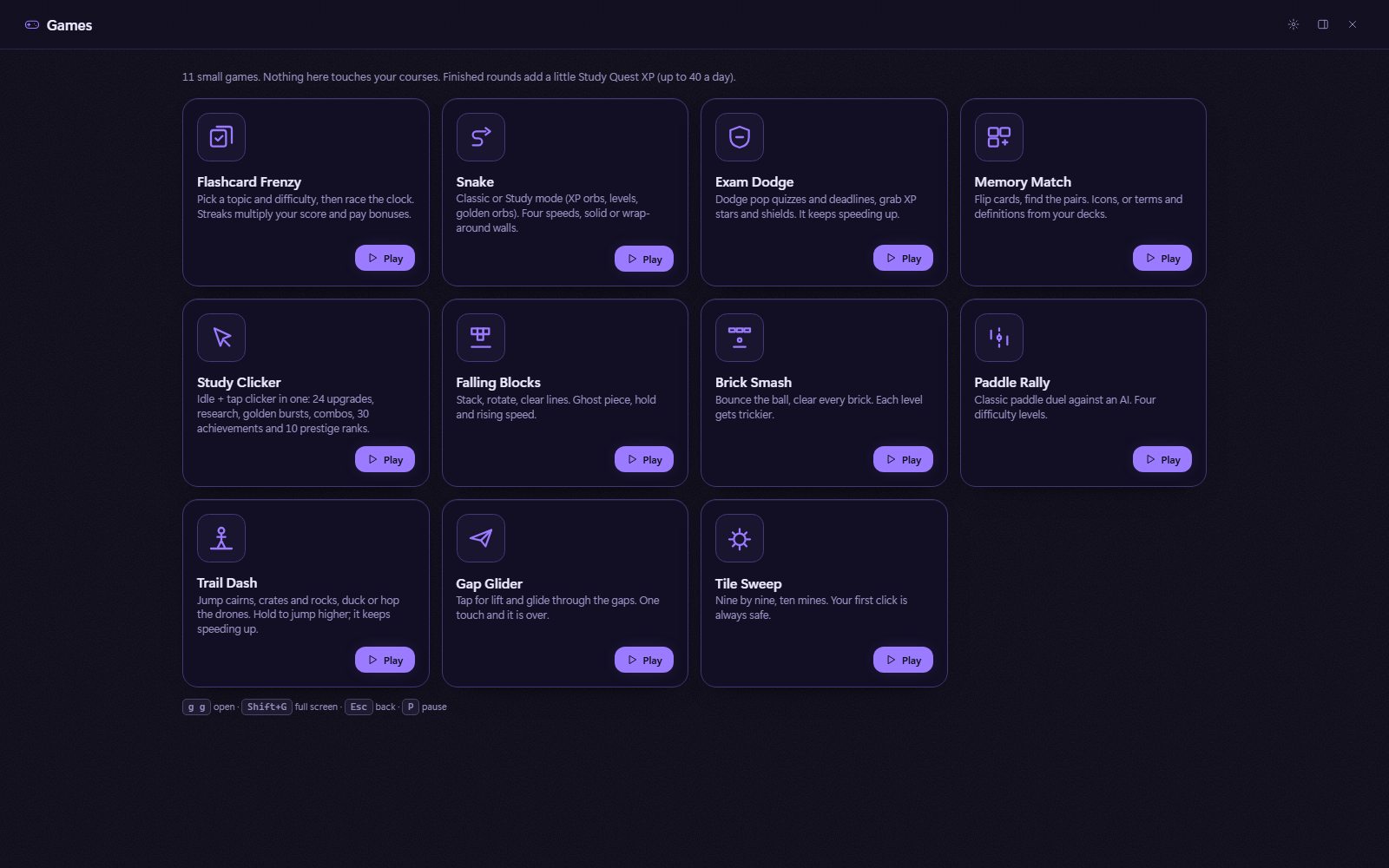
09 · Games
An arcade for your breaks
The arcade has Study Clicker, Flashcard Frenzy, Exam Dodge, Memory Match, Snake, Paddle Rally, Trail Dash, Tile Sweep, Gap Glider, Falling Blocks and Brick Smash. Each one runs sealed in its own Shadow DOM and pauses the moment you look away.
g g Games · Play-by-play gallery →
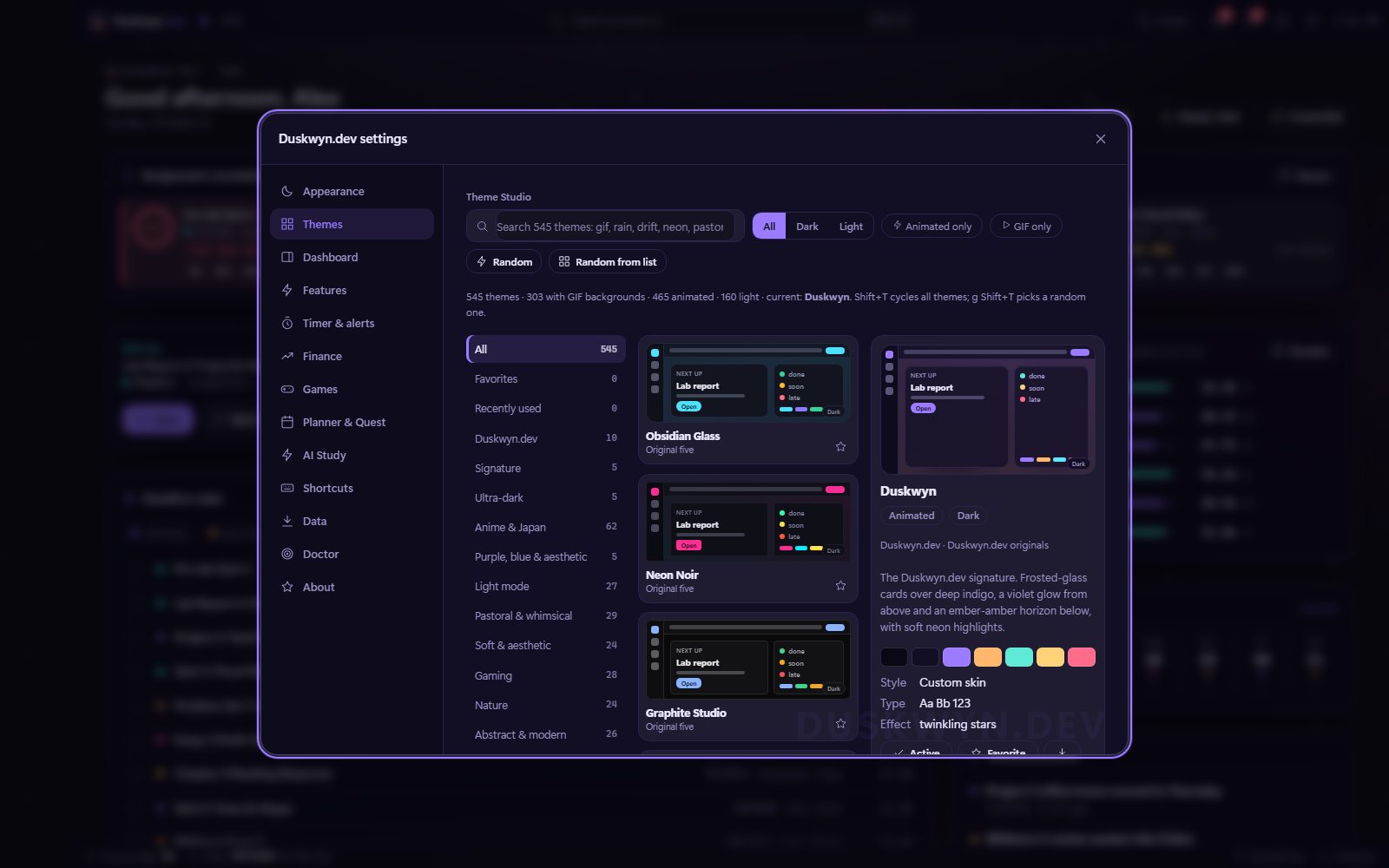
10 · Themes
The Theme Studio
The Theme Studio holds 545 themes in 18 categories, with search, favorites, recently used, a 15-second live preview, a randomizer, JSON import and export, and a custom background image or GIF.
g t Theme Studio · Themes gallery →
11 · Settings
Turn on exactly what you want
Settings has 13 tabs: Appearance, Themes, Dashboard, Features, Timer & alerts, Finance, Games, Planner & Quest, AI Study, Shortcuts, Data, Doctor and About. The toggles below mirror Settings → Features with the script’s real labels and real defaults. Finance and AI start off because they can contact third parties.
Featurestry the switches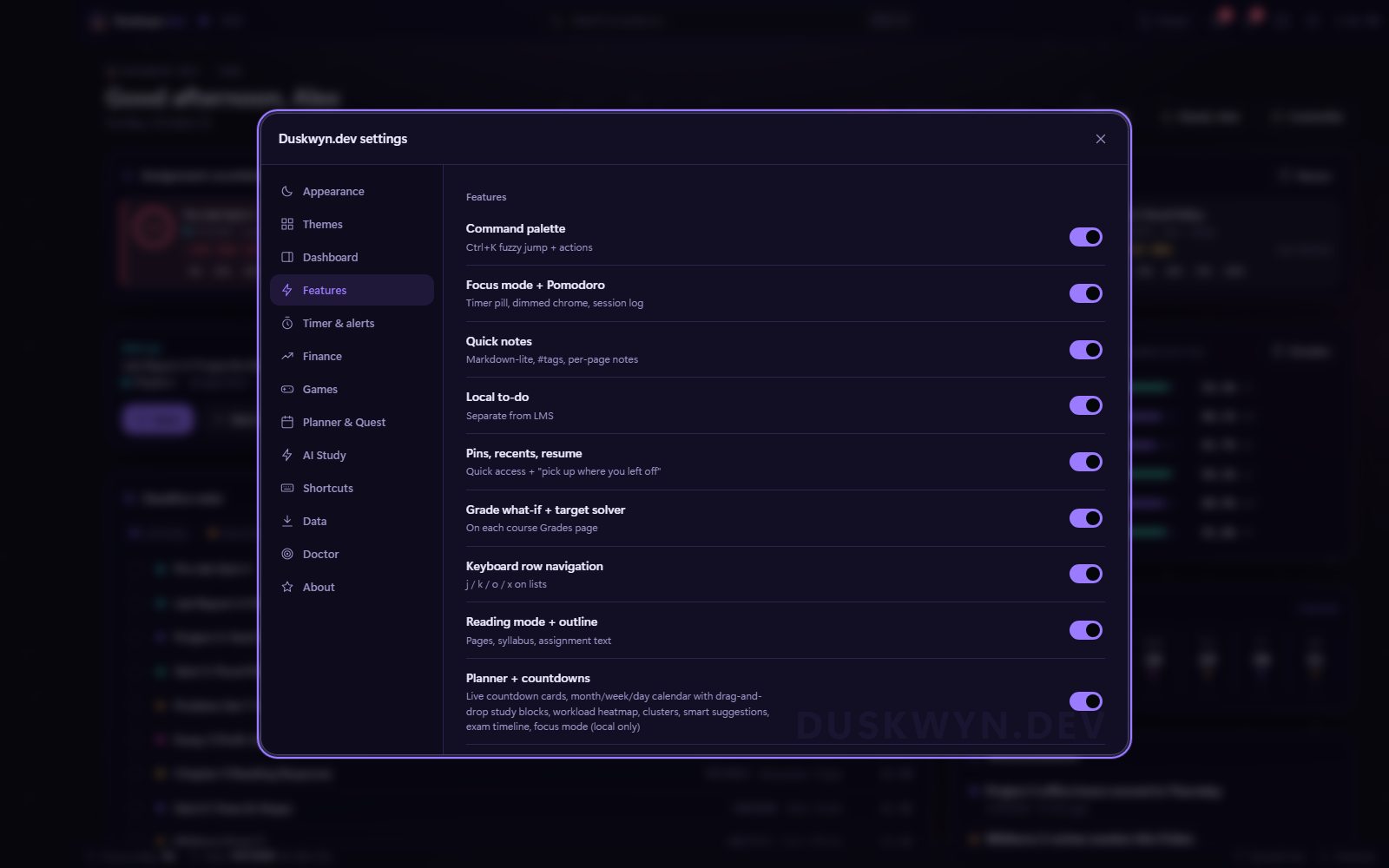
12 · Page upgrades
The rest of Canvas, upgraded
Beyond the Hub, Duskwyn.dev quietly improves the pages you already use. All of these are display-only changes.
Modules upgrades
Progress, jump-to-unfinished, a filter, and dimmed completed items.

Assignments upgrades
Status chips and a filter bar.
Grade what-if
A what-if and target solver on each course’s Grades page.

Course home strip
What’s due next, resume, and quick links.

Reading mode + outline
A comfortable width and type for pages, syllabi and assignment text (r).

Pop-out mini window
The timer and next deadline on your second monitor (Shift+M).

Deadline reminders
Toasts and desktop notifications 24, 3 and 1 hours before something is due.

Pins, recents, resume
“Pick up where you left off” and quick access to the pages you use.

Keyboard row navigation
Use j / k / o / x on any list.